Download

1 / 24
240 likes | 358 Views
This chapter outlines how to effectively characterize an existing network, identifying its strengths and weaknesses through documentation and diagramming techniques. It emphasizes the utilization of Cisco CCO to select appropriate IOS versions and hardware upgrades. Additionally, the chapter covers performing wireless site surveys, organizing data for new network designs, and creating both logical and physical network diagrams. The importance of accurate documentation and adherence to safety guidelines is highlighted, ensuring a robust framework for network upgrades.

E N D
Characterizing the Existing Network Designing and Supporting Computer Networks – Chapter 3
Objectives • Diagram and document an existing network to identify strengths and weaknesses in the design. • Use CCO to determine the appropriate IOS version to support network requirements and download and install the appropriate IOS • Use CCO to determine the appropriate hardware features and install the upgrades using safe practices and procedures • Perform a wireless site survey • Organize collected data into a new network design
Diagram a Physical Network and Document the Existing Network Network documentation: • Logical and physical diagrams • Floor plans • Inventory lists for equipment and applications • Current network configuration files
Diagram a Physical Network and Document the Existing Network • Log in to network devices • Use Cisco IOS software commands to gain information on routers and switches
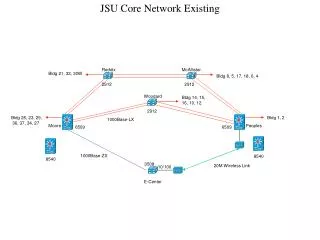
Diagram a Physical Network and Document the Existing Network • Create a logical network diagram showing existing addressing, routing, and network segmentation • Illustrate how information flows through the network
Diagram a Physical Network and Document the Existing Network • Create a modular block diagram • Simplify the network to show major functions
Diagram a Physical Network and Document the Existing Network • Identify and document the strengths and weaknesses of the existing network • Focus on finding ways to overcome weaknesses
Use CCO to Determine the Appropriate IOS Version to Support Network Requirements Cisco CCO features and navigation: • Documentation • Tools • Downloads • Communities and training • News
Use CCO to Determine the Appropriate IOS Version to Support Network Requirements • Use the show version command • Verify that the inventory list is correct • Obtain missing information
Use CCO to Determine the Appropriate IOS Version to Support Network Requirements • Select the correct IOS image using the CCO IOS Feature Navigator
Use CCO to Determine the Appropriate IOS Version to Support Network Requirements • Download the correct IOS • Store new IOS image on TFTP server • Transfer the file to the Cisco router or switch
Use CCO to Determine the Appropriate IOS Version to Support Network Requirements Three stages of the router bootup process: • Perform the POST and load the bootstrap program • Locate and load the IOS software • Locate and execute the startup configuration, or enter setup mode
Use CCO to Determine the Appropriate Hardware Features and Install the Upgrades • Use datasheets to see what modules and interfaces are available • Determine the technologies and media a given device will support
Use CCO to Determine the Appropriate Hardware Features and Install the Upgrades Installing a new hardware option on a Cisco router or switch: • Turn off power • Remove blank faceplace • Install option module • Turn on power and check the new configuration
Perform a Wireless Site Survey • Preparation • Site survey • Security • Safety guidelines
Perform a Wireless Site Survey • Identify possible sources of signal interference • Identify physical infrastructure issues
Perform a Wireless Site Survey • Define customer requirements • Identify coverage areas • Determine preliminary access point locations • Measure signal strength
Organize Collected Data into a New Network Design Design requirements document: • Overall project goal • Project scope • Network requirements • Current state of the network
Organize Collected Data into a New Network Design • Identify and record the overall goal of the proposed network design
Organize Collected Data into a New Network Design • Identify and record the scope of the proposed network upgrade
Organize Collected Data into a New Network Design • Identify and record the business goals and technical requirements of the proposed network design
Organize Collected Data into a New Network Design • Characterize the existing network in relation to the identified business goals and technical requirements
Summary • Ensure that network documentation is accurate and complete before designing an upgrade • Gather information using tools like Cisco Network Assistant • Organize the current network into a modular block diagram to identify where the network needs to be improved. • The Cisco CCO site provides valuable tools and documentation for the design process. • Before producing a wireless network design, it is usually necessary to do a wireless site survey.