Mastering JDBC for Efficient Website Database Management
240 likes | 337 Views
Learn essential JDBC techniques to access and process databases efficiently for websites. Understand JDBC API, connection setup, query execution, and result processing.


Mastering JDBC for Efficient Website Database Management
E N D
Presentation Transcript
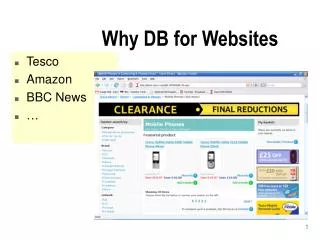
Why DB for Websites • Tesco • Amazon • BBC News • …
MSAccess • Access view of DB • Tables – field types (name, type, length etc) • ER diagram • Relationships • Gotchas • record back twice
Important DB Rules • Uniqueness • No hanging FK • We think in 3NF – “every non-key attribute must be dependent on the key, the whole key, and nothing but the key, so help me Codd” • AND • Naming (no spaces) / standards • performance
Response page in html Database / Web Architecture HTTP JDBC / ODBC Web Server Database Browser Request Data JSP
JDBC Introduction • JDBC provides a standard library for accessing relational databases • API standardizes • Way to establish connection to database • Approach to initiating queries • Method to create stored (parameterized) queries • The data structure of query result (table) • Determining the number of columns • Looking up metadata, etc. • API does not standardize SQL syntax • JDBC is not embedded SQL • JDBC classes are in the java.sql package • Note: JDBC is not officially an acronym; unofficially, “Java DataBase Connectivity” is commonly used
Access <-> Java JAVA (JSP) ========= String int etc DB (MSAccess) =========== Text Number etc
DB Connections JDBC-ODBC bridge driver DB Program – JSP Driver- translates DB stufftoJAVA stuff
Our Driver - how to use it • Put it somewhere – eg your webapps web folder • change connection.jsp • Refer to this in Java (JSP) code • include this in all db files • change in 1 place only
JSP for DB <%@ page …stuff… import="java.sql.*" %> <%@ include file="Connection.jsp" %> Next 10 lines – set driver, connections, query (SQL) etc …display records! …Close RS, conn down neatly
Steps in using JDBC • You use the same Java syntax with all databases • Load the driver • Define the Connection URL • Establish the Connection • Create a Statement object • Execute a query • Process the results • Close the connection
JDBC: Details of Process • Load the driver try { Class.forName("connect.microsoft.MicrosoftDriver"); Class.forName("oracle.jdbc.driver.OracleDriver"); } catch { ClassNotFoundException cnfe) { System.out.println("Error loading driver: " cnfe); } • Define the Connection URL String host = "dbhost.yourcompany.com"; String dbName = "someName"; int port = 1234; String oracleURL = "jdbc:oracle:thin:@" + host + ":" + port + ":" + dbName; String sybaseURL = "jdbc:sybase:Tds:" + host + ":" + port + ":" + "?SERVICENAME=" + dbName;
JDBC: Details of Process (Continued) • Establish the Connection String username = "jay_debesee"; String password = "secret"; Connection connection = DriverManager.getConnection(oracleURL, username, password); • Optionally, look up information about the database DatabaseMetaData dbMetaData = connection.getMetaData(); String productName = dbMetaData.getDatabaseProductName(); System.out.println("Database: " + productName); String productVersion = dbMetaData.getDatabaseProductVersion(); System.out.println("Version: " + productVersion);
JDBC: Details of Process (Continued) • Create a Statement Statement statement = connection.createStatement(); • Execute a Query String query = "SELECT col1, col2, col3 FROM sometable"; ResultSet resultSet = statement.executeQuery(query); • To modify the database, use executeUpdate, supplying a string that uses UPDATE, INSERT, or DELETE • Use setQueryTimeout to specify a maximum delay to wait for results
JDBC: Details of Process (Continued) • Process the Result while(resultSet.next()) { System.out.println(resultSet.getString(1) + " " + resultSet.getString(2) + " " + resultSet.getString(3)); } • First column has index 1, not 0 • ResultSet provides various getXxx methods that take a column index or column name and returns the data • You can also access result meta data (column names, etc.) • Close the Connection connection.close(); • Since opening a connection is expensive, postpone this step if additional database operations are expected
Using MetaData • System-wide data • connection.getMetaData().getDatabaseProductName() • connection.getMetaData().getDatabaseProductVersion() • Table-specific data • resultSet.getMetaData().getColumnCount() • When using the result, remember that the index starts at 1, not 0 • resultSet.getMetaData().getColumnName()
Using Statement • Overview • Through the Statement object, SQL statements are sent to the database. • Three types of statement objects are available: • Statement • For executing a simple SQL statement • PreparedStatement • For executing a precompiled SQL statement passing in parameters • CallableStatement • For executing a database stored procedure
Useful Statement Methods • executeQuery • Executes the SQL query and returns the data in a table (ResultSet) • The resulting table may be empty but never null ResultSet results = statement.executeQuery(...); • executeUpdate • Used to execute for INSERT, UPDATE, or DELETE SQL statements • The return is the number of rows that were affected in the database • Supports Data Definition Language (DDL) statements CREATE TABLE, DROP TABLE and ALTER TABLE int rows = statement.executeUpdate(...);
Useful Statement Methods (Continued) • execute • Generic method for executing stored procedures and prepared statements • Rarely used (for multiple return result sets) • The statement execution may or may not return a ResultSet (use statement.getResultSet). If the return value is true, two or more result sets were produced. Look at the API documenation for details • getMaxRows/setMaxRows • Determines the maximum number of rows a ResultSet may contain • Unless explicitly set, the number of rows is unlimited (return value of 0) • getQueryTimeout/setQueryTimeout • Specifies the amount of a time a driver will wait for a STATEMENT to complete before throwing a SQLException
Prepared Statements • Idea • If you are going to execute similar SQL statements multiple times, using “prepared” (parameterized) statements can be more efficient • Create a statement in standard form that is sent to the database for compilation before actually being used • Each time you use it, you simply replace some of the marked parameters using the setXxx methods • As PreparedStatement inherits from Statement the corresponding execute methods have no parameters • execute() • executeQuery() • executeUpdate()
Prepared Statement, Example Connection connection = DriverManager.getConnection(url, user, password); PreparedStatement statement = connection.prepareStatement("UPDATE employees "+ "SET salary = ? " + "WHERE id = ?"); int[] newSalaries = getSalaries(); int[] employeeIDs = getIDs(); for(int i=0; i<employeeIDs.length; i++) { statement.setInt(1, newSalaries[i]); statement.setInt(2, employeeIDs[i]); statement.executeUpdate(); }
Useful Prepared Statement Methods • setXxx • Sets the indicated parameter (?) in the SQL statement to the value • clearParameters • Clears all set parameter values in the statement • Handling Servlet Data • Query data obtained from a user through an HTML form may have SQL or special characters that may require escape sequences • To handle the special characters, pass the string to the PreparedStatement setString method which will automatically escape the string as necessary
JDBC interfaces to understand In Java API documentation - Java.sql.* • Driver • Connection • PreparedStatement • RecordSet
Learn by… • writing v simple ones (Java year 1 difficulty) • By fixing errors • read Tomcat error messages • Translate time v Compile time v Run time • By reading code • By altering code for your db
What do you need to know? • Be able to • code simple pages only manually? • Understand and annotate code with comments • Exam / cw – comment your code and explain meaning – give overview