Implementing Universal Design for Learning: Strategies for Diverse Classrooms
This session on Universal Design for Learning (UDL) led by David Davis focuses on adapting instructional practices to meet the diverse needs of students. Participants will review key concepts, explore flexible strategies to present information, express understanding, and engage learners. By addressing barriers posed by traditional curricula, attendees will learn to foster an inclusive educational environment that supports academic achievement and transition success for all learners, including those with disabilities. The session includes interactive activities, videos, and handouts to enhance understanding and application of UDL principles.

Implementing Universal Design for Learning: Strategies for Diverse Classrooms
E N D
Presentation Transcript
Universal Design for Learning David Davis
Welcome • Housekeeping • Agenda Review • Handouts Review • Objectives & Introductions • North Star Activity (story / stars) • Video
The Challenge • Meeting the instructional needs of a highly diverse student population to ensure adequate yearly progress, academic achievement, and success in transition.
A Barrier • Inflexible, one-size-fits-all curricula that raise unintentional barriers to learning for learners with disabilities.
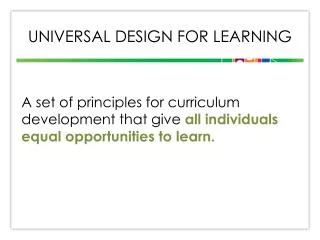
UDL • Universal Design for Learning • Guidelines for using flexible instructional materials, techniques, and strategies to meet the diverse needs of all students. • Adapted from architecture. • Videos
Primary Principles • Provide multiple means of representation (perceive & comprehend information) • Provide multiple means of expression (navigate information & expression) • Provide multiple means of engagement (motivation to learn) • See handout
Representation • Options for: • Perception • Language/symbols • Comprehension
Representation • Examples • Sensory options – Pathways handout • Size, contrast, color of text & images - ReadPlease • Captioning - Video • Transcripts - Planet Discovery • Embedded language support - Microsoft WORD • Clarify structure - Concept Maps
Expression • Options for: • Mode of physical response • Navigation options • Writing options / accessibility • Communication • Composition/Problem Solving • Self Monitoring/Goal Setting
Expression • Examples • Sensory options – Pathways handout • Computer access – Accessibility options • Multiple Media – Voicethread • Geometric Sketchpads – GeoComputer • Goal setting scaffolds – Assignment Calculator
Engagement • Options for: • Individual choice • Relevance & personal value • Reduce distractions • Persistence • Collaboration • Self-assessment
Engagement • Examples • Personal style - Decorate • Personal goals – North Star Planning • Task calendars – Visual Schedules • Adjusting level of difficulty – Windows to the Universe
Universal Design for Learning David Davis