Shadow Creation Service
ImageexpertIndia offers cooperation through its unique large-account program, for customers who have more than 100 images a month.<br>If you would like to place a one-time order, please note that we require a minimum of 500 images.<br>

Shadow Creation Service
E N D
Presentation Transcript
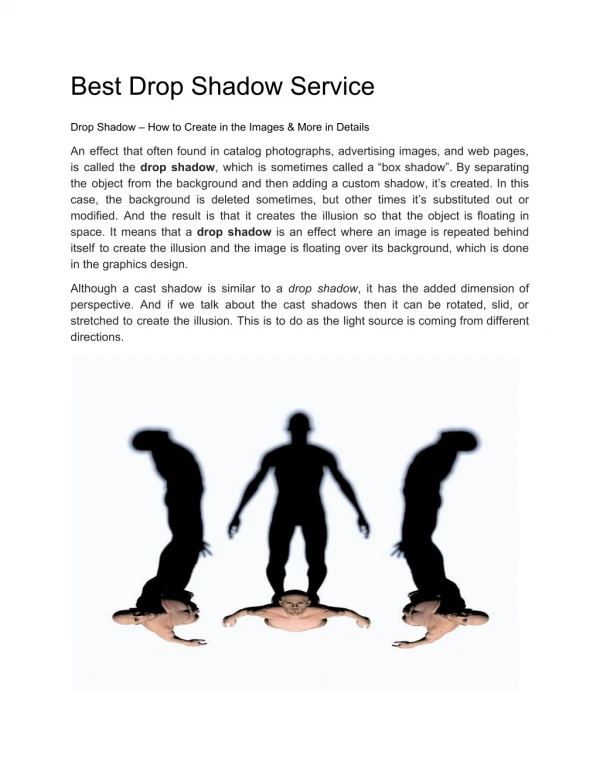
Shadow Creation Service When you present your product on your e-commerce store, your customers cannot touch the product before purchasing. So, you need an image editing service and shadow creation service to present your product naturally and professionally to your customers. It is an important point to make more sales. Nowadays, we try e-commerce shopping in our busy life. So, photo editing and retouching are necessary for e-commerce service retailers. Without the correct shadow, your product images look something missing and unrealistic. So, give full attention to the product images and give them a unified look. The right shadow with proper darkness is essential. However, to get exemplary service, you can choose us as the best service provider at an affordable price among a lot of options on the internet. Image expert India works with the best photo editing technique and provides the product photo best and professional look. What is the shadow effect in shadow-creating service? Shadow is one type of visual effect that you can create with photo editing tools and software. We do this service to provide the photo a realistic look. We know that every photo has its shadow naturally. When you take a picture of a thing, you cannot capture the natural shadow. Then when the background of the image is removed, the shadows also are removed. So, you need to add shadow effects. Let’s know some types of shadow.
Retain Natural Or Original shadow Natural shadow means the own shadow of the photo. With natural shadow, your image looks original, and there is no artificial effect. But when you remove the total Natural shadow means the own shadow of the photo. With natural shadow, your image looks original, and there is no artificial effect. But when you remove the total background during photo editing, you also remove the shadow that comes naturally. To get this shadow back, you need a graphic designer to edit your images with the proper transparency and appearance.
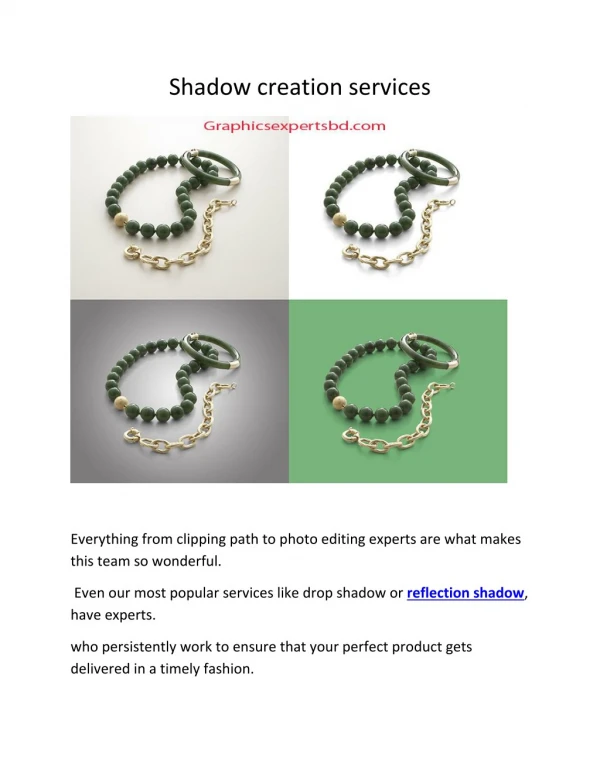
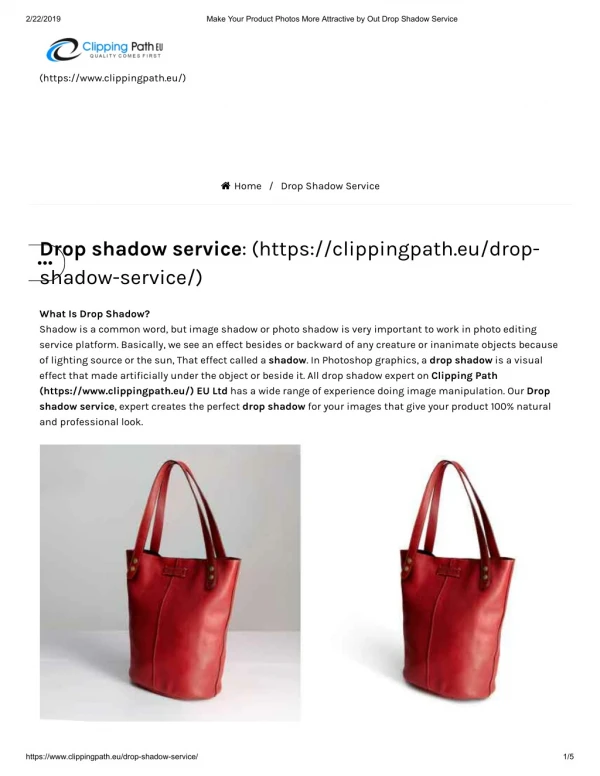
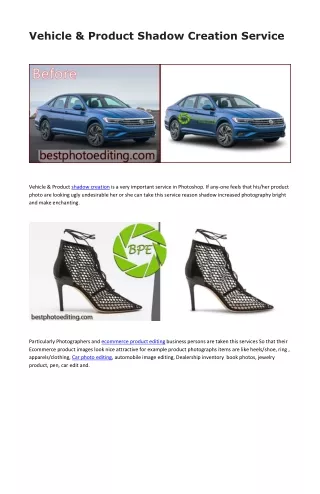
Reflection and Floating shadow We apply reflection shadow to create the product photo-realistic on a clean background or surface like a glass surface. When we apply this effect, we see this product’s reflection on the surface as like a mirror. We use this editing technique for the watch, glasses, jewelry, etc., type products displayed on a clean counter. Drop Shadow Or Effect Shadow Drop shadow is the most used shadow technique to give a realistic impression of product images. It looks like the product is floating above its shadow.
This unique technique is used to showcase your e-commerce products. You can consider it as the best effect than other shadow techniques. Castaway Or Existing shadow You may see that when you cast light on a thing, you see a shadow behind it. It is called the castaway shadow. It is used to create a natural shadow behind
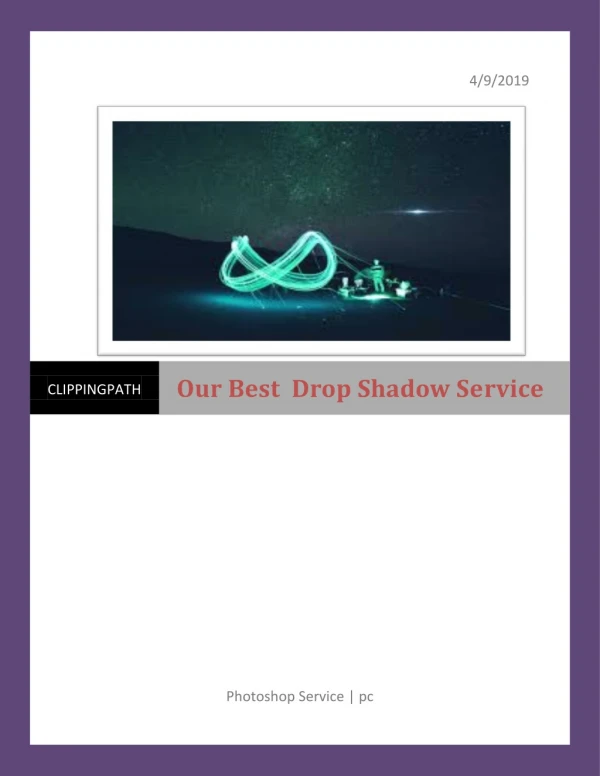
a large object, such as a human or others. When you apply it, it looks more practical. With Photoshop software, Image expert India can make the castaway shadow that touches the surface. WHO NEEDS AN IMAGE SHADOW CREATION SERVICE? Image shadow creation and image editing services are primarily essential for e- commerce site owners and retailers. To display their products attractively on their website, they need to polish the product images to give them a realistic view. For this reason, shadow creation is essential.
Besides, Photographers and such types of agencies also need this service. Indeed, sometimes the best photographer cannot take all the details of the image. If he adds the best shadow effect with Photoshop, his capture may become outstanding. Our service contains Editing e-commerce product background Creating mirror shadow Adding drop shadow Product image editing for Amazon and eBay. Do image replacement Make perfect photo masking Jewelry photo retouching Creating ghost mannequin Remove unwanted objects. shadow creation service? Let's know when you really need our service. Then if you need, you can contact us to get the best services. When you remove your product images' background by the clipping path technique, your images become flat. To give them a natural look, you need a drop shadow to add. When the background color and product color become similar, you need to apply any technique to make them different. You can remove the background or add shadows to make the product look different from the background.
Before using a product image as the product’s display image in your e-commerce store, you should maintain uniformity and edit the product image. So, adding the correct shadows is vital to do this job properly. Sometimes, when you add shadow effect, you may find the change of context that reflects your photography’s professionality. So, photographers need this service. If you like to keep the natural shadow of your product image after post- production, you need to add it as the effect. Advantages Of Drop Shadow Creation Service The main reason for photo editing is to give the commercial images a great look. During the image background removal process, in most cases, the natural shadows remove away. Then you need this service to add some shadows to make the objects realistic. As an e-commerce business owner, you must need this service to showcase your products in the form of images. When an image is presented with proper shadow, it looks more realistic. It helps to increase the product sales ultimately. This service is not only to present online products, but it is also essential to show products offline. When you need to create a product catalog to print for the customers, you need this service to make your catalog photos professional. It helps you to draw the attention of the buyers. So, we see that this service is also both critical and necessary for online and offline businesses.
How To Add A Drop Shadow creation Using Photoshop? To add shadow, you need the right tool. I think Photoshop is the best image editing tool. However, to perform this work, we make black, gray shapes around the object. Then make the edges soft to make it realistic. It is essential to consider the proportion of shadows and images. However, at first, I will create a new layer and then move it to the bottom of the layer tray. Now make the new layer a white background. Select the item that you want to work with the pen tool. Do not keep any rough edges around your selection lines. Now make a mask and also make sure that the selecting object is in the right place. Now go to the style window of the layer and give drop shadow. You will see a shadow around the item. You can adjust other things such as opacity and create the best look. At last, adjust the angle, light, size, and distance of the shadow. Why Image expert India Are Different From Others? We have a lot of skilled resources. You know that professional resources are very much crucial for our success. We always try to keep the resources updated with the trend.
We are always ready to provide you our services. The standard turnaround time for us is 24 hours. We can do the editing service within less time at the emergency needs. We always guarantee our quality because we have well-experienced graphic designers and photo editors. Just shoot your product photos and then upload the files. Send the files to us, including your requirements, with clear instructions. After getting the instructions and files, we start our work immediately to complete the job in time. After completing the file, we also revise the files several times with highly- experienced graphic designers. Then we send them to you. Then check your received files and give your feedback to us. Free Guideline for Retouching Jewelry with Shadows Here we are going to provide you a quick guideline to add shadows to your jewelry photos. Although we recommend professionals for these services, these guidelines will help you to retouch your jewelry photos by yourself as well as help you to realize the importance of professionals. Let’s start. It is a little bit harder. To get natural shadow when capturing photos you need to input much more lighting efforts, for this reason, many people prefer post-editing
to achieve the right appearance. If you're not familiar with Photoshop, simply follow these steps below First, you have to open the jewelry photo in Photoshop. You can see an automatic layer created when you open the jewelry photo in Photoshop. Now, you have to create a new layer. Then fill it with white background to mask the image from the background. Don't forget to make a smooth changeover like refining the edges. Next, you have to select some area from the bottom of the image to make it look darkest. Now refine the edges carefully. It will help you to create a soft and curved layer. To make it look like a dark oval, you have to darken it at the bottom of the jewelry. Now you have to choose a bubble around. Then refine the selection to make it very soft. However, to match the tiny shadow, you have to make a curved layer and darken it. Thus you'll get a more realistic look than before. You can add an extra layer of shadow at the bottom to make it look like ground.