Download
1 / 12
130 likes | 244 Views
This chapter delves into the essential fundamentals of JavaScript, introducing key capabilities, terminology, and the structure of JavaScript code. You'll explore various types of loops, including count-controlled and conditional loops, as well as practical applications like using the JavaScript Math object. The chapter also covers how to manipulate form field values, highlighting real-life examples such as pressure calculations and Newton's square root algorithm. An engaging mix of scripting examples provides hands-on learning to enhance your programming skills.

E N D
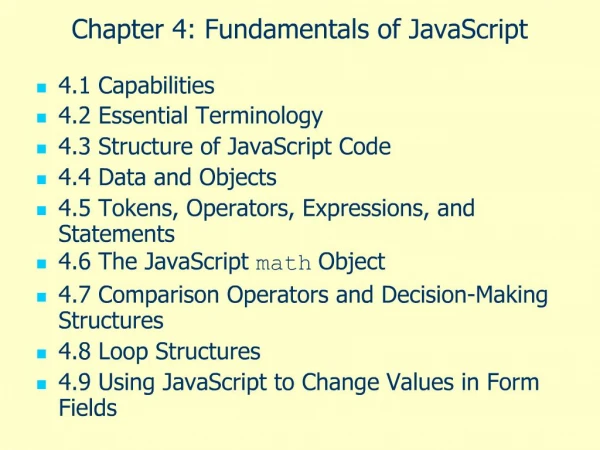
Chapter 4(b): Fundamentals of JavaScript • 4.1 Capabilities • 4.2 Essential Terminology • 4.3 Structure of JavaScript Code • 4.4 Data and Objects • 4.5 Tokens, Operators, Expressions, and Statements • 4.6 The JavaScript math Object • 4.7 Comparison Operators and Decision-Making Structures • 4.8 Loop Structures • 4.9 Using JavaScript to Change Values in Form Fields
Chapter 4.8: Loop (Repetition) Structures • Loops provide a structured way to perform repetitive calculations. • Count-controlled loops perform calculations a pre-defined number of times. • Conditional loops perform calculations until, or as long as, some predefined condition is true.
Count-Controlled Loops for (counter=start; {expression based on high (or low) value of counter}; expression controlling incrementing (or decrementing) of counter} ) Document 4.7 (counter2.htm) <html><head><title>Counter</title><script>var k;document.write("Here's a simple counter: "+"<br />");for (k=0; k<=10; k++) document.write(k+"<br />");</script></head><body></body></html>
More Count-Controlled Loops Document 4.8 (countdown2.htm) <html><head> <title>Countdown</title><script>var k;document.write("Start launch sequence!" +"<br />");for (k=10; k>=0; k--) document.write(k+"<br />");document.write("FIRE!!");</script></head><body></body></html>
Conditional Loops • Pre-test loops – may not be executed at all, depending on initial settings. while ({logical expression} ) { {statements that result in changing the value of the pre-test logical expression} } • Post-test loops – always executed at least once. do { {statements that result in changing the value of the post-test logical expression} } while ({logical expression} );
The Elevator Problem Document 4.9 (gorilla1.htm, partial) <script language="javascript" type="text/javascript">var totalWeight=0.,limitWeight=500.,maxWeight=500.;var newWeight;do {newWeight=Math.floor(Math.random()*(maxWeight+1));if ((totalWeight + newWeight) <= limitWeight) {totalWeight += newWeight;document.write("New weight = " + newWeight + " total weight = " + totalWeight + "<br />");newWeight=0.; }elsedocument.write("You weigh " + newWeight + " lb. I'm sorry, but you can't get on."); } while ((totalWeight + newWeight) <= limitWeight);</script>
Newton's Square Root Algorithm Given a number n: 1. Make a guess for the square root of n. n/2 is a reasonable guess. 2. Replace g with (g + n/g)/2. 3. Repeat step 2 until the absolute difference between g*g and n is smaller than some specified value. Document 4.10 (newtonSqrt2.htm) <html><head><title>Newton's square root algorithm</title><script language="javascript" type="text/javascript">var n=parseFloat(prompt("Enter a positive number:"));var g=n/2;do {g = (g + n/g)/2.;} while (Math.abs(g*g-n) > 1e-5);alert(g+" is the square root of "+n+".");</script></head> <body></body></html>
Using JavaScript to Change Form Field Values • The basic use for JavaScript is to access and change the values in <input /> elements used in forms • "Event handlers" allow us to do this from within forms.
Pressure Calculation <form>Fill in elevation and sea-level pressure: <input type="text" name="elevation" value="0" size="8" maxlength="7" /> (m)<input type="text" name="sea_level_pressure" value="1013.25" size="8" maxlength="7" /> (mbar) <br /><input type="button" name="Calculate" value="Click here to get station pressure:" onclick="result.value= parseFloat(sea_level_pressure.value)- parseFloat(elevation.value)/9.2;" /><input type="text" name="result" value="1013.25" size="8" maxlength="7" /> (mbar)<br /> <input type="reset" value="Reset all fields." /></form>
Rectangular Rule Integration How do we do it?
Rectangular Rule Integration Use pseudocode to develop the algorithm: INITIALIZE integral = 0 (Initialize the value to 0.) LOOP for i = 0 to n – 1, x = x0 + i•dx + dx/2 y=x•x (This could be any function of x.) integral = integral + y END LOOP ASSIGN integral = integral•dx
The code: Document 4.13 <html><head><title></title></head><body><h2>Rectangular Rule integration</h2>for f(x)=x<sup>2</sup><form> x<sub>0</sub>: <input type="text" name="x0" value="1" /> <br /> x<sub>1</sub>: <input type="text" name="x1" value="3" /> <br /> <input type="button" value="Click here to integrate." onclick="var x,X0,X1,i,n=20,integral=0,y; //y=x*x X1=parseFloat(x1.value); X0=parseFloat(x0.value); dx=(X1-X0)/n; for(i=0; i<n; i++) { x=X0 + i*dx + dx/2; y=x*x; integral+=y; } result.value=integral*dx; "/> <input type="text" name="result" value="result" /></br /></form></body></html>