Download
1 / 11
110 likes | 238 Views
Follow this easy guide to register as a player on Cricket Rajasthan. Start by visiting www.cricketrajasthan.in, then click on "Player Registration." Fill in your details using a valid mobile number and click the "Register" button. Sign in using your user ID/email and password, ensuring all details are valid and up-to-date. Choose your batting and bowling styles, and if applicable, indicate if you're a wicketkeeper. Don't forget to fill in your passport details, upload your photo and documents in JPEG format, and submit your application.

E N D
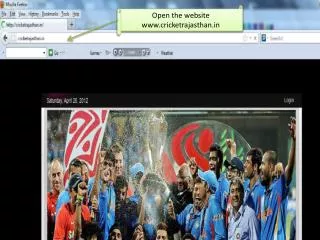
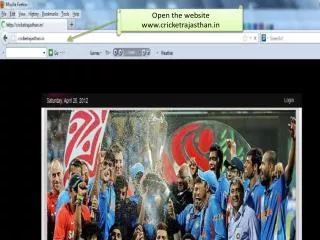
Open the website www.cricketrajasthan.in
Step 1 Clik on it
Step -2 “ Click on Player registration”
Fill the Detail with valid mobile Number and then click on Register button
Sign In with your user id /email address and password which you filled in the registration form
Fill the complete detail . Note :- All Detail must be valid and updated. Click on “ Save” button after done the job.
Chose your Batting and Bowling Style. Note:- If you are wicket keeper then click on wicket keeper “ BOX”
Fill the complete detail . Note :- All Detail must be valid and updated. Click on “ Save” button after done the job.
Fill the complete detail . Note :- All Detail must be valid and updated. Click on “ Save” button after done the job.
Insert your passport detail . Click on “ Save” button after done the job.
Upload you photo and other documents in JPEG format . Click on “ Submit Application” button after done the job.