
Before the Navigation Toolbar…
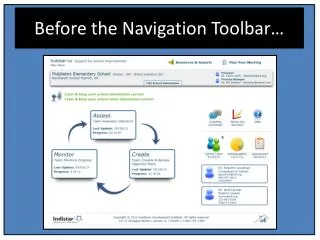
The Navigation Toolbar provides a seamless way to manage your indicators, objectives, and tasks. Easily access site information, team members, test scores, and demographics by selecting the relevant icons. Set up meeting agendas, add minutes, and respond to coaching comments to keep everyone informed and engaged. Discover all 15+ reports, blank indicator worksheets for assessing and planning, along with additional resources to support your work. Click here to explore and optimize your navigation experience.

Before the Navigation Toolbar…
E N D
Presentation Transcript
Icon Glossary Click here to go back to the Main Menu page. Click any of these to work on or update your indicators, objectives, or tasks. To add or update site information, team members, test scores, or demographics, choose one of these icons. Set up a meeting agenda, add meeting minutes, view/respond to a coaching comment, or simply see exactly ‘Where you are…’. All 15+ reports, blank indicator worksheets for assessing and planning, plus all additional resources can be found here!