Download
1 / 5
50 likes | 169 Views
This guide provides an overview of AJAX, focusing on the use of XMLHttpRequest to handle asynchronous web requests. Learn how to create a new XMLHttpRequest, set up response handlers, and manage state changes. We will cover a simple JSON example, emphasizing how to open and send POST requests while handling responses in both text and XML formats. The notes detail practical implementations for updating UI components dynamically, and include an example of using AJAX for user name suggestions within a web form environment.

E N D
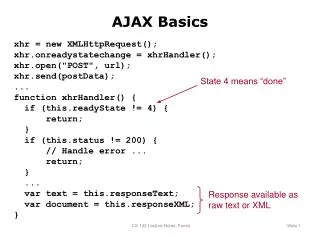
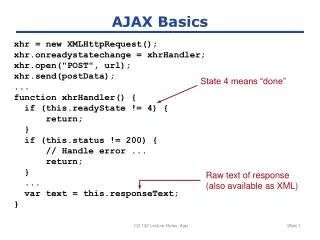
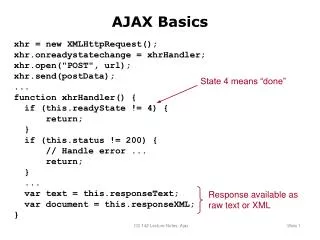
AJAX Basics xhr = new XMLHttpRequest(); xhr.onreadystatechange = xhrHandler; xhr.open("POST", url); xhr.send(postData); ... function xhrHandler() { if (this.readyState != 4) { return; } if (this.status != 200) { // Handle error ... return; } ... var text = this.responseText; var document = this.responseXML; } State 4 means “done” Response available as raw text or XML CS 142 Lecture Notes: Ajax
JSON Example {name: "Alice", gpa: 3.5, friends: ["Bill", "Carol", "David"]} CS 142 Lecture Notes: Ajax
Name: Al Alfred Wang Alice Washington Allen Williams Allison McLean Alok Chandra Higher-Level AJAX Example <%= form.text_field(:userName) %> ... <div id="completionMenu">...</div> ... <%= observe_field( :form_userName, :update => "completionMenu", :url => {:action => "nameChoices"} ) %> class FooController < ApplicationController def nameChoices prefix = params[:form][:userName] ... compute names ... render :partial => "name_list", :layout => false end
Name: Al Alfred Wang Alice Washington Allen Williams Allison McLean Alok Chandra Higher-Level AJAX Example <%= form.text_field(:userName) %> ... <div id="completionMenu">...</div> ... <%= observe_field( :form_userName, :update => "completionMenu", :url => {:action => "nameChoices"} ) %> class FooController < ApplicationController def nameChoices prefix = params[:form][:userName] ... compute names ... render :partial => "name_list", :layout => false end