Efficiently Duplicating and Placing Objects in PowerPoint Ballroom Diagram
This guide outlines step-by-step instructions for selecting, duplicating, and placing objects on a PowerPoint ballroom diagram. You will learn how to select multiple objects using the Shift key, duplicate them with Ctrl+D, cut and paste them onto the ballroom diagram, and move objects within the slide using keyboard shortcuts. Additionally, discover how to align groups of objects efficiently. This streamlined process will enhance your presentation design, making object placement intuitive and accurate.

Efficiently Duplicating and Placing Objects in PowerPoint Ballroom Diagram
E N D
Presentation Transcript
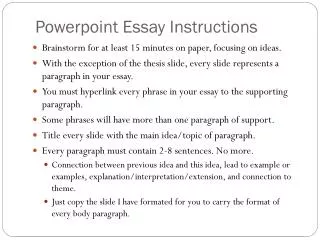
Basic PowerPoint Instructions • Select the object(s) (tables, staging, etc) from page 2 that you want to place on the Ballroom diagram by clicking on each object while holding the shift key. • After all desired objects are highlighted, release the shift key and press “Ctrl” and “D” at the same time to duplicate all the objects. The new (duplicated) objects will still be highlighted, so press “Ctrl” and “X” at the same time to cut the objects. • Use the up arrow key on the slide bar on the right side of the page to go to page 1 (the ballroom diagram) • Press “Ctrl” and “V” to paste the objects on the room diagram page. • To move an object: Click and hold the object and move it with the mouse. • To move an object a very small distance: Click on the object to highlight it, then use the arrow keys on your keyboard to move it incrementally. • To duplicate an object or group of objects: highlight the object(s), then press “Ctrl” and “D” • To align a group of objects: Highlight the objects, then click “Draw” on the toolbar and scroll down to “Align or Distribute” You can choose to align objects on the left, right, top, bottom, center, or middle • Shortcuts: • Duplicate:“Ctrl” and “D” • Cut: “Ctrl” and “X” • Copy: “Ctrl” and “C” • Paste: “Ctrl” and “V”
CHAIR ROWS 8’ X 30” BANQUET TABLE 8’ X 4’ STAGE SECTION (AND STEPS) 6’ X 30” BANQUET TABLE 16’ PIPE & DRAPE SECTION 8’ X 18” SEMINAR TABLE 6’ x 5’ OVAL BANQUET TABLE OTHER BALLROOM EQUIPMENT Podium Coat Rack