3D Modeling of Horyuji Treasures Gallery: An AutoCAD Project Overview
This is an overview of the modeling project for "The Gallery of Horyuji Treasures" created using AutoCAD by Yahong Wang in collaboration with Helene Kaschel. Our project utilized a divided building approach, with each half showcasing distinct colors. The model comprised essential features such as major façades, open lobbies, stairs, and exhibition areas. We conducted multiple renders for both interior and exterior views, employing natural and artificial lighting techniques to enhance visibility. This report details the methodology and rendering processes involved in capturing the essence of the gallery.


3D Modeling of Horyuji Treasures Gallery: An AutoCAD Project Overview
E N D
Presentation Transcript
BBSc 303 Computer Application Assignment 1 – Part One By Yahong (May) Wang Modelling partner: Helene Kaschel
Work together Work separation: The building was separated to 2 halves as shown in different colors, each inludes a major façade, an open lobbie, stairs and exhibition areas. Our modelling programme is AutoCAD. I was in charge of yellow part.
Render 1 – over building - Model: AutoCAD model - Renderer: Default scanline - Light: Sun light - Materials: N/A
Render 2 – exterior view - Model: AutoCAD model - Renderer: Default scanline Radiocity - Light: Day light - Materials: N/A
Render 3 – exterior view - Model: AutoCAD model - Renderer: Default scanline Radiocity - Light: Day light - Materials: N/A
Render 4 – exterior view - Model: AutoCAD model - Renderer: Default scanline Radiocity - Light: day light - Materials: N/A
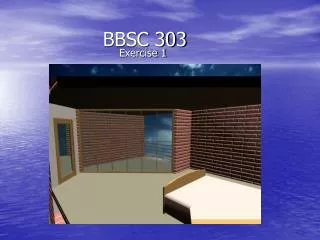
Render 5 – interior view - Model: AutoCAD model - Renderer: Default scanline Radiocity - Light: day light - Materials: N/A
Render 6 – interior view - Model: AutoCAD model - Renderer: Default scanline Radiocity - Light: day light - Materials: N/A
Render 7 – interior view - Model: AutoCAD model - Renderer: Default scanline Radiocity - Light: Sun light - Materials: N/A
Render 8 – interior view - Model: AutoCAD model - Renderer: Default scanline Radiocity - Light: day light - Materials: N/A
Render 9 – interior view - Model: AutoCAD model - Renderer: Default scanline Radiocity - Light: day light - Materials: N/A
Render 10 – interior view - Model: AutoCAD model - Renderer: Default scanline - Light: Artificial light - Materials: N/A
Image 11 – building section Skylight The top floor courtyard Exterior space Transitional space Exhibition place • The Gallery of Horyuji Treasures has four main parts according to building function and flow of light: • Partly covered exterior space open to natural day light; • Transitional space with combination of natural light (incl. skylight) and artificial light; • Exhibition place and some rooms with artificial lights only; • Courtyard on top floor, which provide extra natural light to rooms around the yard.