Transforming Education with QR Codes: Enhance Classroom Interaction and Engagement
150 likes | 261 Views
QR codes have revolutionized classroom engagement and information sharing since their inception in Japan in 1994. These two-dimensional barcodes, which stand for "quick response," can link to interactive content such as websites, videos, and audio files. By incorporating QR codes into schools, educators can guide parents and students to the latest newsletters, school announcements, and multimedia showcases of classroom activities. This guide explores innovative ways to implement QR codes throughout the campus, enhancing the educational experience and promoting school resources.


Transforming Education with QR Codes: Enhance Classroom Interaction and Engagement
E N D
Presentation Transcript
L A C U E 2013 Using QR Codes in the Classroom
Catalogs, Magazines, Stores, Coupons, Flyers, Mailers, Bookmarks… They’re Everywhere • What's black and white and read all over? • Five years ago the answer was a newspaper, but times have changed. • Now the answer is…a QR code.
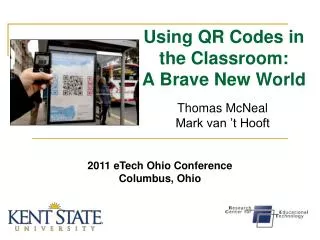
QR code is a two-dimensional barcode. • QR stands for “quick response”. • Began in 1994 in Japan to track vehicle parts • A pattern of modules that are alphanumeric characters • Makes a printed copy become interactive • Can be read vertical or horizontal What is a QR Code? http://www.youtube.com/watch?v=B3lrcOhmp9g
Why So Popular? • Low Technology investment and making a code is free • With the help of a smartphone, iPad, or iTouch users can download a free app that enables them to scan the barcode, which directs them to a Web site of the creator’s choosing: video, audio recording, digital poster - virtually anything with a dotcom address.
QR Codes Share • Websites • Text Messages • Audio and Video Files
Post QR codes throughout your campus to provide parents and students with information and video testimonials of what goes on in the classrooms, labs, and on the athletic fields. Use in School
Post a QR code at the main points of entry on your campus directing your parents to access your most recent newsletter, get the latest announcements, or be given some direction like – “report to office after entering the school”. Give Instructions
Put some QR codes around the school. • One in the entrance - linking to a text of the school mission statement or URL of school website. • One in the corridor - linking to school vision. • One (or more) outside every classroom with planning of work being completed within, audio of music compositions or poetry recitals, slideshows of artwork etc. • One in the library with associated audio clips of pupil book reviews. • ... Give visitors/inspectors a device when they arrive. Create a virtual tour of the school
http://inkie.pbworks.com http://inkie.pbworks.com http://inkie.pbworks.com http://inkie.pbworks.com http://inkie.pbworks.com http://inkie.pbworks.com
Use Google. • Go to http://goo.gl . • Paste your URL and click “Shorten”. • Copy your new short link and paste in the address bar. (Example: http://goo.gl/gKw0a.qr) • Add .qr to the end of your new link. • Hit Enter. How to Create a QR Code – Option 1
How to Create a QR Code – Option 2 http://www.qrstuff.com/
How to use QRreader:1: Make sure you have a working webcam and Adobe AIR installed.2: Download and install QRreader.3: Get a scan-able QR code (generated on a device, or printed)4: Hold up the QR code to your webcam. Make sure your webcam can see the entire code, and that your code is evenly lit.5: If your webcam sees the code, the white brackets will turn red. Then you will hear a *beep* sound once the code has been read properly. How to Read a QR Code on a Desktop http:// www.dansl.net/blog/?p=256Kaywa