Download
1 / 14
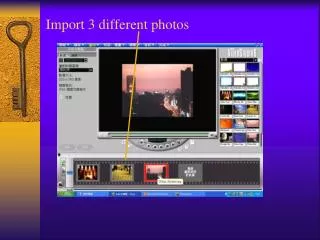
Import 3 different photos
140 likes | 261 Views
This guide outlines a step-by-step process for optimizing video editing by importing multiple photos and black images, reducing transition durations to 2 seconds, and applying various transition effects. You'll learn how to insert overlays, adjust timelines, and use mask and chroma key options effectively. Additionally, the tutorial includes tips for importing sound files, specifically a ".wav" file, and positioning sound clips for seamless audio integration. Follow these practical steps to enhance your video project with professional flair.

Download Presentation 
Import 3 different photos
An Image/Link below is provided (as is) to download presentation
Download Policy: Content on the Website is provided to you AS IS for your information and personal use and may not be sold / licensed / shared on other websites without getting consent from its author.
Content is provided to you AS IS for your information and personal use only.
Download presentation by click this link.
While downloading, if for some reason you are not able to download a presentation, the publisher may have deleted the file from their server.
During download, if you can't get a presentation, the file might be deleted by the publisher.
E N D
Presentation Transcript












More Related