Computer Science & Engineering 2111
This lecture focuses on inner joins in database queries, elucidating how they function within Access. Inner joins are the default join type that returns records with matching keys from both tables, creating a dynaset that includes only relevant data. We highlight guidelines for using multiple tables efficiently, ensuring all tables are properly linked to avoid display errors. Additionally, the lecture covers practical query creation, demonstrating how to list clients' first names, last names, and payment methods. Understanding these concepts is crucial for effective database management.

Computer Science & Engineering 2111
E N D
Presentation Transcript
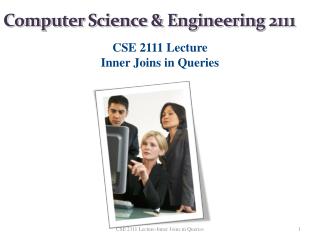
Computer Science & Engineering 2111 CSE 2111 Lecture Inner Joins in Queries CSE 2111 Lecture-Inner Joins in Queries
The data tables The resulting dynaset Dynaset only includes records that have matching keys on both tables. This is called an inner join which is the default join type in Access CSE 2111 Lecture-Inner Joins in Queries
Guidelines when using more than one table in a query • Only show the tables on the grid that will be used in your query. Adding extra tables to the QBE grid may cause the dynaset to display incorrectly. • All tables shown in the query must either be directly or indirectly linked in order for the query to run correctly. Usually this is the case, but there are some scenarios where you will have to create the relationship on the QBE grid yourself. CSE 2111 Lecture-Inner Joins in Queries
Write a query that lists the first name, last name, and payment method for each payment made by the client. CSE 2111 Lecture-Aggregate Fields in Queries
The data tables The resulting dynaset CSE 2111 Lecture-Aggregate Fields in Queries