Elluminate : An eLearning and Collaboration Solution
170 likes | 294 Views
Elluminate, led by Dr. Yanling Sun, revolutionizes online education and collaboration by connecting learners and educators in dynamic ways. This platform fosters a culture of collaboration, ensuring accessibility and flexibility for users everywhere. With robust tools for moderation, participant management, live video integration, and content sharing, Elluminate empowers both formal and informal learning anytime, anywhere. Explore resources such as training sessions and user guides to maximize your experience with Elluminate.


Elluminate : An eLearning and Collaboration Solution
E N D
Presentation Transcript
Elluminate: An eLearning and Collaboration Solution Yanling Sun, Ph.D. Assistant Director of Instructional Technology
Why Use Elluminate • Reach and engage more learners • Promote a culture of collaboration across institutions and enterprises • Ensure accessibility & flexibility for all users • Facilitate formal and informal learning—anywhere--anytime
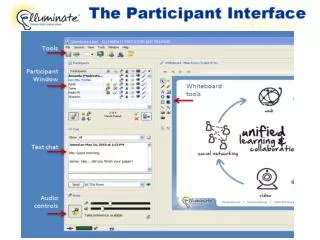
Topics • Moderator Interface • Manage the Participant Window • Manage the Chat • Manage the Audio • Use Live Video • Load PowerPoint Presentation • Conduct a Poll
Set up Multiple Simultaneous Cameras From the Tools menu > Video > Maximum Simultaneous Cameras.
Load Content in Elluminate • Load Button • Load PowerPoint, StarOffice, OpenOffice, Whiteboards, and images
Additional Resources • http://www.elluminate.com/training • User guide, quick reference guide, recorded training sessions, register for live training sessions • 3 for free vRoom: http://www.elluminate.com/vroom • Monthly live events and webinars: http://www.elluminate.com/democ_events_landing.jsp • Elluminate technical support: http://www.elluminate.com/support