Understanding Operating Systems and Programming in C: Course Overview
This course provides an in-depth exploration of operating systems, particularly focusing on Unix, and programming in C. Students will learn key concepts including data types, memory management, and the structure of the Unix operating system. The curriculum includes hands-on lab sessions, quizzes, and a comprehensive grading policy emphasizing practical skills. With two quizzes and numerous lab tasks, participants will gain essential programming exposure and understand the relationship between hardware and software management. Office hours with the lecturer and lab assistants are also provided for additional support.

Understanding Operating Systems and Programming in C: Course Overview
E N D
Presentation Transcript
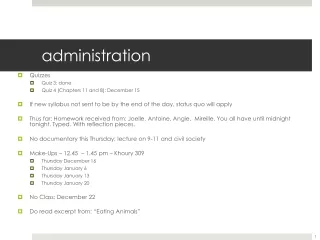
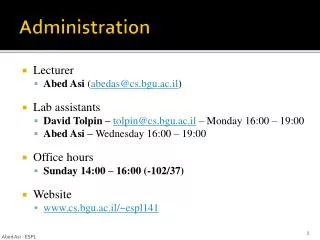
Administration • Lecturer • Abed Asi(abedas@cs.bgu.ac.il) • Lab assistants • David Tolpin – tolpin@cs.bgu.ac.il – Monday 16:00 – 19:00 • Abed Asi – Wednesday 16:00 – 19:00 • Office hours • Sunday 14:00 – 16:00 (-102/37) • Website • www.cs.bgu.ac.il/~espl141 Abed Asi - ESPL
Administration • Lectures and Labs • One-hour lecture every 2 weeks (with two exceptions) • 12 (or 11) Lab sessions • Quizzes • 2 Quizzes • NOfinal exam • Grading policy • 40% for quizzes (20% per quiz) • 60% Labs (5% per lab) Abed Asi – ESPL
Lab Instructions • http://www.cs.bgu.ac.il/~espl141/Main Abed Asi – ESPL
Lectures schedule Abed Asi - ESPL
Today • Unix environment • Data types in C • C – simple programs • C Arrays – A Glance • Makefiles • Java vs. C Abed Asi - ESPL
What is an Operating System? • A program that starts up when you turn on your computer and runs underneath all other programs • It is a manager. It manages all the available resources on a computer, from the CPU, to memory, to hard disk accesses • Tasks the operating system must perform • Control Hardware - attempts to get everything working together • Run Applications– running applications software such as: word processors, web browsers, games, etc... • Memory Management - controls the mapping between logical memory and the hard disk, managing file system and more .. Abed Asi - ESPL
Unix OS: Brief History • The UNIX operating system was born in the late 1960s. • It originally began as a one man project led by Ken Thompson of Bell Labs • Grown to become one of the most widely used operating system • It has gone through many different generations and even mutations • Some differ substantially from the original version, like Berkeley Software Distribution (BSD) or Linux. • Others, still contain major portions that are based on the original source code. Abed Asi - ESPL
Unix OS: Overview • The Kernel - handles memory management, input and output requests, and program scheduling. Technically speaking, the kernel is the OS. • The Shell - basic UNIX shells provides a “command line” interface which allows the user to type in commands. • The Built-in System Utilities - are programs that allow a user to perform tasks which involve complex actions such as listing the content of directories, move & copy files, remove files, etc... • Application Software & Utilities – additional programs that are bundled with the OS distribution, or available separately. There are not part of UNIX Abed Asi - ESPL
Programming in Unix Environment • To develop your own program you need: • Compiler: translates your programming language to assembly • Text editor: to type down source code • Project management tool: dependencies, linking, executable .. • In Unix: • You will use the gcc compiler • Any text editor that you prefer (Kate, Emacs, KWrite, …) • make as the project management tool • Use Unix Manual for function/program description and more Abed Asi - ESPL
Data types • Char • char is the basic type in C • sizeof(char) = 1 byte by definition • Examples: • char c = ‘A’; • char c = 65; Abed Asi - ESPL
Data types • int , short, long • sizes: machine dependent! • sizeof(short) <= sizeof(int) <= sizeof(long) • For example: (linux on pentium) • short: 16 bit, int: 32 bit, long: 32 bit • All can be signed/unsigned • Default: signed • unsigned int: [0, 231 -1] • signed int: [-231, 231 -1] Abed Asi - ESPL
Boolean types • Boolean types • Doesn’t exist in C ! • Use char/int instead • zero = false • non-zero = true while (1) { … } (infinite loop) if (-1974) { .. } (true statement) Abed Asi - ESPL
Programming in C – First program #include <stdio.h> int main() { inti; // declares i as an integer int j = 0; // declaresjas an integer, and initializes it to0 // for( initial ; test condition ; update step ) for( i = 0; i < 10; i++ ) { j += i; // shorthand for j = j + i printf("%d %d %d\n", i, j, (i*(i+1))/2); } return 0; } Abed Asi - ESPL
First Program – Compiling and running > gcc–Wall loop.c –o loop > loop 0 0 0 1 1 1 2 3 3 3 6 6 4 10 10 5 15 15 6 21 21 7 28 28 8 36 36 9 45 45 Abed Asi - ESPL
Programming in C – Second program #include <stdio.h> /* count number of words in sentence */ int main(intargc, char **argv) { inti; printf("There are %d words in phrase '", argc-1); for(i=1; i!=argc; ++i) { printf("%s", argv[i]); if(i!=argc-1) printf(" "); } printf("'.\n"); return 0; } Abed Asi - ESPL
argv & argc: example $> prog –u danny –p 1234 argc = 5 argv[0] = “prog” argv[1] = “-u” ... argv[4] = “1234” Always: argv[5] = 0 Abed Asi - ESPL
Arrays • C does not provide array operationsinta[4]; int b[4]; ... a = b; // illegal if( a == b ) // illegal • intarr[5][7]; • 5 rows, 7 columns • continuous memory (divided to 5 blocks) • access: arr[row][col] = 0; Abed Asi - ESPL
Arrays • C does not provide any run time checks • This will compile and run (no errors) • But can lead to unpredictable results • It is the programmer’s responsibility to check whether the index is out of bounds… int a[4]; a[-1] = 0; a[4] = 0; Abed Asi - ESPL
Array initialization intarr[3] = {3, 4, 5}; // Good intarr[] = {3, 4, 5}; // Good - The same intarr[4] = {3, 4, 5}; // Bad style - The last is 0 intarr[2] = {3, 4, 5}; // Bad intarr[2][3] = {{2,5,7},{4,6,7}}; // Good intarr[2][3] = {2,5,7,4,6,7}; // Good - The same intarr[3][2] = {{2,5,7},{4,6,7}}; // Bad intarr[3]; arr = {2,5,7}; // Bad - array assignment only in initialization Abed Asi - ESPL
Compilation • Takes input C-code and produces machine code (object file) • gcc –c Main.c –o Main.o • Main.c Main.o • The object file does not contain all external references • It leaves names, such as “printf”, “area”, etc. as undefined references Abed Asi - ESPL
Square.c Square.o Main.c Main.o Preprocessor Compiler Linker Linking • Combines several object files into an executable file • No unresolved references Main libc.a Abed Asi - ESPL
Square.c Square.o Main.c Main.o Preprocessor Compiler Linker Linking $ gcc –c Square.c –o Square.o $ gcc –c Main.c –o Main.o $ gccSquare.oMain.o –o Main Main libc.a Abed Asi - ESPL
Makefile • What is it good for ? • Automatic tool for projects management • Less boring work for the programmer • Less errors mywc: mywc.c gcc -Wall mywc.c -o mywc Abed Asi - ESPL
Makefile – compilation and linkage Makefile prog1: read.omain.olist.ogccmain.oread.olist.o –o prog1 main.o: main.cread.hlist.hgcc -c main.c read.o: read.cread.hgcc -c read.c list.o: list.clist.hgcc -c list.c $ make prog1 prog1 main.o read.o list.o read.c read.h main.c list.c list.h Abed Asi - ESPL
Makefile – compilation and linkage • If only one file is modified, will we have to recompile all over again? prog1 • No, the Makefile uses the dependencies tree main.o read.o list.o read.c read.h main.c list.h list.c Abed Asi - ESPL
Makefile – dependencies tree • If read.h is modified, what should be done? prog1 • We have to recreate a subset of the files main.o read.o list.o read.c read.h main.c list.h list.c Abed Asi - ESPL
Makefile – summary • Aim: build only out-of-date files (use timestamps) • Makefile contains: • List of dependencies (no cycles) • “Recovery” scenario when any file is modified • If any of the files [main.c, list.h, read.h] wad modified after main.o, the command “gcc –c main.c” will be invoked • By default, makeonly executes the first target in the makefile main.o: main.clist.hread.h <tab> gcc-c main.c Abed Asi - ESPL
Makefile Read about the explicit and implicit rules for Makefiles Abed Asi - ESPL
Java vs. C Abed Asi - ESPL