Introduction to Programming with VB.NET: Hello World! Course Overview
This course, led by Engr. Faisal ur Rehman, introduces programming basics using VB.NET through hands-on projects. Students will learn fundamental concepts, such as the difference between programming languages and their applications in real-world tasks. The curriculum includes creating both console and graphical user interface (GUI) applications, utilizing Visual Studio IDE. Key topics cover programming terminology, numerical analysis, automation, and database applications. By the end of the course, students will be equipped with essential programming skills and knowledge.

Introduction to Programming with VB.NET: Hello World! Course Overview
E N D
Presentation Transcript
Hello World CE-105 Fall 2006 By: Engr. Faisal ur Rehman
GOAL • Hello World! • Terminology • But Why? • Features • Course Outline
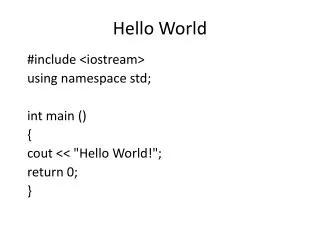
Hello World • Console • Windows / GUI
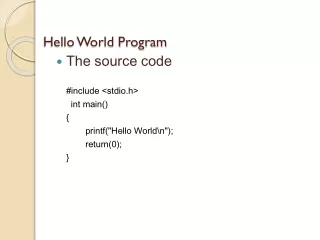
HW Console • Open IDE • Select New Project > ConsoleApplication • Name = HelloWorldConsole • Save All • In Sub Main Handler, write: • Console.writeline(“Hello World!”) • Console.Beep • F5 • Save All
HW Windows • Open IDE • Select Windows Application • Name = HelloWorldGUI • Save All • Double Click Form • Write: msgbox(“Hello World!”) • F5
Terminology • GUI: Graphical user Interface • Program: Set of instruction given to computer to perform certain tasks • Programming Language: A language understandable by computer and used to write programs • Machine code / Low level: 0-1 • Intermediate: / Assembly Language, interpreter, Compilers • High Level Language: VB.NET, C / C++, Java, COBOL, FORTRAN, BASIC
Why Programming? • Mathematical Calculation / Numerical Analysis, which consumes a lot of time • Prediction / Probability • Automate Tasks • Graphics • Commerce • Database
Why We? • Structural Analysis & Design • Drawing / Drafting • Quantity Estimation • Project Management • We must understand how to make: • Calculation Program • Graphics for Display • Database
Application / Uses of Programming • Programs are used every where • Mobile phones • SMS, Calculator, text Editor & Games • PC • OS, Office software, Engg. Software • Embedded Devices • Robots
Icons • Bill Gate • Linus • Adresson , Netscape Navigator • Ashraf Habibullah • MS • Sun • Redhat • Google • Auto Desk • US Crops of Engrs • Computers and Structures
BASIC • Easy to learn; more close to English language • Rapid Application Development • First step to learn Programming • Important for Beginners
Flavors • VB: Basic language along with GUI • VB.NET: VB built on .NET Framework, Next generation Language
Features of VB.NET • OOP • .NET Frame work • All capability of any powerful language • RAD
Flavors / Editions of VB.NET • Express • For beginners / Hobbyist • Free Version • Include more than all capabilities required for beginners • Standard • Tools for MS Office System • Professional • Enterprise • Team System
Project Types • Windows Application Template • Class Library Template • Console Application Template • My Movie Collection Starter Kit Template • Screen Saver Starter Kit Template
Course Distribution • 2 lectures / week • 1.1 T • 1.2 L • 2.1 L • 2.2 L • 3A and 3Q for Each Theory and Lab, and for each term • Project • As described per course outline
Course Distribution • Presentation • Marks Distribution • Reference: • MSDN • 2 Book • VDOZ