Download
1 / 12
0 likes | 0 Views
Discover what a dynamic website is and how it works behind the scenes. Learn the key features of dynamic websites, real-world examples, and how they differ from static sites. This guide explains when to use a dynamic website for better scalability, personalization, database integration, and long-term business growth.

E N D
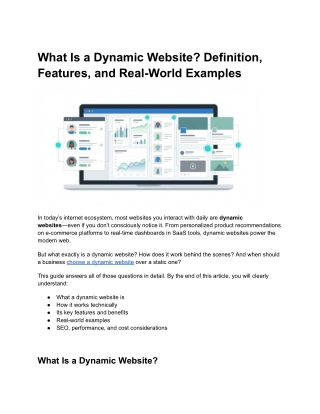
What Is a Dynamic Website? Definition, Features, and Real-World Examples In today’s internet ecosystem, most websites you interact with daily are dynamic websites—even if you don’t consciously notice it. From personalized product recommendations on e-commerce platforms to real-time dashboards in SaaS tools, dynamic websites power the modern web. But what exactly is a dynamic website? How does it work behind the scenes? And when should a business choose a dynamic website over a static one? This guide answers all of those questions in detail. By the end of this article, you will clearly understand: ● What a dynamic website is ● How it works technically ● Its key features and benefits ● Real-world examples ● SEO, performance, and cost considerations What Is a Dynamic Website?
A dynamic website is a website where the content is generated or modified in real time based on user interactions, data from a database, or external APIs. Unlike static websites—where each page is a fixed HTML file—a dynamic website delivers different content to different users or changes content automatically over time without manual code edits. Simple definition: A dynamic website displays content that changes automatically based on user behavior, preferences, time, location, or backend data. Examples of dynamic behavior: ● A logged-in user sees a personalized dashboard ● Product prices update automatically based on inventory ● Blog posts load from a database via a CMS ● Search results change based on user queries Dynamic Website vs Static Website: Key Differences Understanding the difference between static and dynamic websites is essential before choosing the right approach.
Feature Static Website Dynamic Website Content Fixed HTML files Generated in real time Updates Manual code changes Updated via CMS or database Personalization Not possible Fully supported User interaction Limited High Backend/databas e Not required Required Scalability Limited Highly scalable Best for Small, brochure sites Business, apps, platforms When static works well: ● Simple landing pages ● Portfolio websites ● One-page marketing sites When dynamic is essential: ● E-commerce stores ● Blogs and news portals ● SaaS products ● Membership platforms ● Corporate websites with frequent updates How Does a Dynamic Website Work? A dynamic website operates through a multi-layer architecture instead of serving a fixed HTML file.
Core components of a dynamic website: 1. Frontend (Client-side) ○ What users see in the browser ○ Built using HTML, CSS, JavaScript (React, Vue, etc.) 2. Backend (Server-side) ○ Handles logic, authentication, data processing ○ Common languages: PHP, Node.js, Python, Ruby 3. Database ○ Stores content, users, products, orders ○ Examples: MySQL, PostgreSQL, MongoDB 4. APIs ○ Connect frontend to backend and third-party services ○ Payment gateways, CRMs, analytics, etc. Request flow (simplified): 1. User requests a page 2. Server processes logic 3. Data is fetched from the database 4. Page is assembled dynamically 5. Final HTML is delivered to the browser Modern setups often combine server-side rendering (SSR), client-side rendering (CSR), and static generation with revalidation for performance and SEO balance.
Key Features of a Dynamic Website Dynamic websites offer capabilities that static websites simply cannot match. 1. Database-driven content Content is stored centrally and displayed dynamically—ideal for blogs, products, or directories. 2. Content Management System (CMS) Admins can update content without coding. Examples: ● WordPress ● Drupal ● Headless CMS like Strapi or Contentful 3. User accounts and authentication Login systems enable: ● Dashboards ● Order history ● Role-based access 4. Personalization
Content adapts based on: ● User behavior ● Location ● Preferences ● Past interactions 5. Search, filters, and sorting Dynamic queries allow users to search and refine data instantly. 6. Third-party integrations Payment gateways, CRMs, email tools, analytics platforms integrate seamlessly. Real-World Examples of Dynamic Websites To make this concept tangible, let’s examine real-world use cases. 1. E-commerce Websites (Amazon-like platforms) Dynamic features include: ● Real-time pricing
● Inventory updates ● Personalized recommendations ● User reviews Each product page is generated dynamically based on database records. 2. News & Media Portals Examples: large news websites and blogs. Dynamic elements: ● Constantly updating articles ● Category-based feeds ● Personalized content suggestions 3. SaaS Dashboards Examples: project management tools, analytics platforms. Dynamic features: ● User-specific dashboards ● Live metrics ● Role-based permissions
4. Social Media Platforms Feeds change based on: ● User interactions ● Algorithms ● Real-time data streams These platforms would be impossible without dynamic architecture. Technologies Used to Build Dynamic Websites Dynamic websites rely on a flexible tech stack. Backend technologies: ● PHP (Laravel, WordPress) ● Node.js (Express, NestJS, Next.js) ● Python (Django, Flask) ● Ruby on Rails Frontend technologies: ● HTML, CSS, JavaScript ● React, Vue, Angular Databases: ● MySQL / PostgreSQL (relational) ● MongoDB (NoSQL) CMS options: ● Traditional: WordPress, Joomla ● Headless: Strapi, Sanity, Contentful Hosting & delivery: ● Cloud hosting (AWS, GCP) ● CDN-based platforms ● Serverless and edge computing
Are Dynamic Websites Good for SEO? Yes—when implemented correctly. Common SEO concerns: ● JavaScript-heavy rendering ● Duplicate URLs with parameters ● Slow page speed Best SEO practices for dynamic websites: ● Server-side rendering for critical pages ● SEO-friendly URLs ● Proper canonical tags ● XML sitemaps generated dynamically ● Structured data (Schema markup) Modern frameworks and CMS platforms are SEO-capable when configured properly. Performance & Core Web Vitals Considerations Dynamic websites can be fast—but poor implementation can cause issues. Common performance problems: ● Large JavaScript bundles ● Slow database queries ● Overloaded APIs Performance optimization strategies: ● Use caching and CDNs ● Optimize database queries ● Lazy-load non-critical components ● Combine static generation with dynamic updates Headless CMS + CDN architectures often provide excellent performance.
Security Considerations for Dynamic Websites Dynamic websites require stronger security controls due to user interaction and data handling. Key risks: ● SQL injection ● Cross-site scripting (XSS) ● Authentication vulnerabilities Essential security measures: ● HTTPS everywhere ● Input validation ● Secure authentication ● Regular updates and patches ● Web Application Firewalls (WAF) When Should You Choose a Dynamic Website? Choose a dynamic website if you need: ● Frequent content updates ● User accounts or dashboards ● E-commerce functionality ● Personalized experiences ● Scalability A static website may be sufficient if content is minimal and rarely changes. Cost and Development Timeline Costs vary based on complexity. Typical cost ranges: ● Basic CMS-based dynamic site: $500–$3,000 ● Custom dynamic website: $4,000–$25,000 ● Enterprise or SaaS platform: $25,000+
Timeline: ● Small dynamic site: 2–6 weeks ● Mid-size project: 6–12 weeks ● Large platforms: 3–6+ months Static to Dynamic Website Migration Checklist If upgrading from static to dynamic: 1. Audit existing content and URLs 2. Choose CMS or custom backend 3. Preserve SEO with redirects 4. Test performance and security 5. Monitor rankings after launch Proper migration prevents traffic loss and improves scalability. Frequently Asked Questions (FAQ) Is WordPress a dynamic website? Yes. WordPress is a database-driven CMS, making it a dynamic website. Can dynamic websites be fast? Absolutely. With caching, CDNs, and optimized rendering, dynamic sites can match static performance. Do dynamic websites cost more? Yes, typically—but they offer greater flexibility, scalability, and ROI. Are dynamic websites mobile-friendly? They can be, provided responsive design and performance best practices are followed. Conclusion A dynamic website is the foundation of most modern digital experiences. It enables personalization, scalability, automation, and advanced functionality that static websites simply cannot deliver.
For businesses aiming to grow, adapt, and compete online, dynamic websites are not optional—they are essential. If you are evaluating whether to build or migrate to a dynamic website, the right architecture, SEO strategy, and performance planning will determine long-term success.