User Input Handling in MATLAB: Collecting Data for Volume Calculation
This guide outlines how to effectively gather user input in MATLAB for data processing tasks. It focuses on using the `input()` command to prompt users for numerical and character data, essential for software development. Users will learn how to gather specific inputs like username, velocity, pressure, and time, and how to utilize hardcoding alongside user prompts. The step-by-step approach culminates in creating software to calculate the volume of a hemispherical capsule, important for designing fuel tanks in rockets.

User Input Handling in MATLAB: Collecting Data for Volume Calculation
E N D
Presentation Transcript
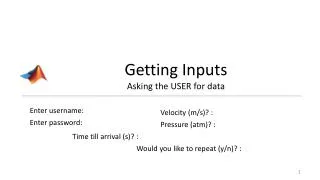
Getting InputsAsking the USER for data Enter username: Velocity (m/s)? : Enter password: Pressure (atm)? : Time till arrival (s)? : Would you like to repeat (y/n)? :
The input() command • NO user-interaction. (HARDCODING) variable = value; • “Prompt the user for data” = “Ask the user for data” • Allow user to enter data with the input() command • When prompting for numerical data: variable = input(‘prompt string’); Or • When prompting for char data: variable = input(‘prompt string’ ,‘s’);
Key Points • Asking the user for data to process is key to any software • In MATLAB, the commandto prompt data is: input() • Two ways of prompting since primarily 2 data-types possible: var = input(‘prompt string: ’); for numerical data var= input(‘prompt string: ’, ‘s’); for char data • Ctrl+C will abort the current run
Try it yourself – cont. • Using the 7 steps, create software for the following problem Pb: Calculate the volume of a hemispherical capsule, knowing the radius and the height of the middle section (see figure). These types of tanks are used in designing tanks for fuel in rockets.
Vocabulary • Hardcoding • Prompt • String (review)