Guidelines for Creating Effective Instructions for Website Changes
This guide outlines the essential steps to create clear and effective instructions for making changes to a website. Begin by preparing changes in a PowerPoint presentation, using screenshots to highlight specific areas of the site. Ensure each URL is visible if multiple URLs are involved. Use simple text boxes and arrows to illustrate changes, maintaining clarity throughout. Each screenshot should be on a separate slide, and save the PowerPoint in a format compatible with PowerPoint 97-2003. Changes may take up to 10 working days to go live after submission, with confirmation sent via email.

Guidelines for Creating Effective Instructions for Website Changes
E N D
Presentation Transcript
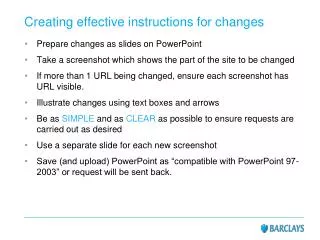
Creating effective instructions for changes • Prepare changes as slides on PowerPoint • Take a screenshot which shows the part of the site to be changed • If more than 1 URL being changed, ensure each screenshot has URL visible. • Illustrate changes using text boxes and arrows • Be as SIMPLE and as CLEAR as possible to ensure requests are carried out as desired • Use a separate slide for each new screenshot • Save (and upload) PowerPoint as “compatible with PowerPoint 97-2003” or request will be sent back.
After submission • Changes take up to 10 working days to go live from submission • When a preview is ready, an email containing a link will be sent out for confirmation that changes have been made successfully • Changes will go live once this confirmation is received
Example #2 – Amending text Edit text: Change this number to 40%. Everything else the same