Download
1 / 15
150 likes | 276 Views
The EEIC Courses Website serves as a primary repository for all public course materials for the Spring 2014 semester at OSU. Designed for ease of use and maintenance, the website follows strict guidelines on file naming, organization, and backup procedures. Files must adhere to a descriptive format and be uploaded in both original and PDF versions. Daily backups ensure data security, while a dedicated change request page allows for streamlined updates. This architecture supports scalability, making it a robust resource for students and educators.

E N D
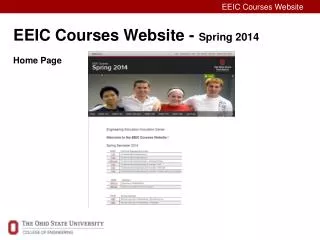
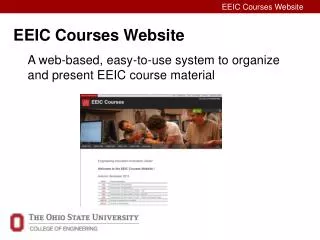
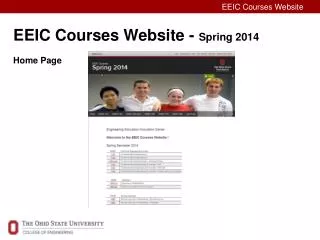
EEIC Courses Website - Spring 2014Home Page • EEIC Courses Website
EEIC Courses Website Domain name: eeiccourses.engineering.osu.edu Design goals: Purpose: Primary repository for all public course material in the current semester. • Easy to create • Easy to use • Easy to maintain • Scalable • EEIC Courses Website
Website Architecture • EEIC Courses Website
/ alias rules eeiccourses.engineering.osu.edu / path1 / path2 / path3 descriptive pathway to course material Alias model: eeiccourses.engineering.osu.edu / course / object / instance Example: eeiccourses.engineering.osu.edu / 1181/ lab/ 02 Rules: no spaces, all lower case, no underscore, limited use of – • EEIC Courses Website
/ filename rules All files on the website will conform to the filename rule: Descriptive_File_Name_Rev_yyyy-mm-dd.ext Filename 15-character Revision Date Example: For-Loops_In-Class_Exercise_Rev_2014-03-15.pptx Rules: Upper and lower case letters, Numbers, Underscore and Short Dash; no spaces or other characters are allowed. When placed on the eeiccourses website, upload two copies of the file, one with the Rev Date and one without a Rev Date. Links shall be made only to files without a Rev Date. • EEIC Courses Website
/ filename examples Prep files: Topic_Name_Prep_Reading_Rev_2014-03-15.ext Topic_Name_Prep_Assignment_Rev_2014-03-15.ext In-Class files: Topic_Name_In-Class_Activity_Rev_2014-03-15-ext Topic_Name_In-Class_Seed_File_Rev_2014-03-15.ext Homework: Topic_Name_Homework_Rev_2014-03-15.ext Lecture files: Topic_Name_Lecture_Rev_2014-03-15.ext Lab files: Topic_Name_Lab_Procedure_Rev_2014-03-15.ext Topic_Name_Lab_Data_Sheet_Rev_2014-03-15.ext • EEIC Courses Website
/ duplicate files Make PDFs of all course files (if it makes sense) Upload both versions of the file Provide a link to the PDF and a link to the original file Examples: 4. If any other files are used to create course material, upload them too, but do not link them on the website. • EEIC Courses Website
/ website folder structure The File Manager Tool and the eeiccourses Folder Structure on the website has the following general appearance: • EEIC Courses Website
/ website folder structure The Spring 2014 folder for 1182 looks like this: • EEIC Courses Website
/ website folder structure The / 1182 / Class / folder looks like this: • EEIC Courses Website
/ website folder structure The / 1182 / Class / Class04 / folder looks like this: • EEIC Courses Website
/ website backups A complete backup of the eeiccourses website is made daily by Engineering Web Services. EEIC can request that a complete eeiccourses backup be made and delivered to us at any time – the file is a ~2GB Windows file in a typical Windows folder system. We should request and preserve a complete backup of eeiccourses no less than twice per semester – once near the start and again after the end of finals. These backups should be stored in an appropriate folder on the Projects Drive. • EEIC Courses Website
/ website change procedure Requests for changes to either the website or the course material on the website will be made through the change request webpage located at: eeicfaculty.engineering.osu.edu/sp2014/changerequests • EEIC Courses Website
/ website responsibilities • EEIC Courses Website