Comprehensive Guide to Database Management: Backups, Recovery, and Integrity
This course module, led by experts George Squillace and Richard Currey, provides an in-depth exploration of essential database management topics. Participants will learn backup strategies, restore techniques, and methods to ensure database integrity. Key areas of focus include user and system database recovery models, backup and restore statements, and maintenance procedures. Designed for technical professionals, this module combines theory and practical demonstrations to equip you with the skills needed to protect and recover data effectively.

Comprehensive Guide to Database Management: Backups, Recovery, and Integrity
E N D
Presentation Transcript
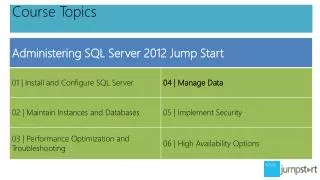
04 | Manage Data George Squillace | Senior Technical Trainer – New Horizons Great Lakes Richard Currey | Senior Technical Trainer – New Horizons United
Module 4 Overview • Backups and Backup Strategies • Restores and Recovery • Move Databases and Database Files • Ensure Database Integrity • Indexes, Statistics, and Maintenance
Topic: Backups and Backup Strategies • User Database Recovery Models • Backup Statements and Typical Options • Backup Integrity Testing • System Database Backups
Backup Integrity Testing • RESTORE VERIFYONLY FROM device • RESTORE HEADERONLY FROM device • RESTORE FILELISTONLY FROM device • RESTORE LABELONLY FROM device
System Database Backups • Vital to the recovery of the instance • Certain system database corruptions cause the failure of the SQL Server or SQL Server Agent Services • Don’t change the system database recovery models
Topic: Restores and Recovery • Recovery Process and Phases • Types of Restores • Restore Statements and Typical Options • System Database Restores–Special Considerations
Recovery Process and Phases • Recovery phases • Data copy • Redo • Undo • Recovery process • Don’t make it worse…calm yourself! • Tail log backup (remember the demo?) • Restore full-database backup • Restore most recent differential backup • Restore all logs from the most recent differential • Restore the tail of the log and recover the database
Types of Restores • Complete database restore in simple recovery • Complete database restore in full recovery • System database restore • File restore • Online restore • Piecemeal restore • Page restore
System Database Restores–Special Considerations • Recovering master when not corrupt • Recovering master when corrupt • Recovering model when corrupt • Recovering MSDB when corrupt • Recovering resource when corrupt • “Recovering” TempDB when corrupt
Restoring and Recovering a Database and Point-in-Time Recovery
Topic: Move Databases and Database Files • Moving and Copying Entire Databases to Other Instances • Relocate Database Files Within an Instance • System Databases Require Special Treatment
Moving and Copying Databases to Other Instances • SSMS / sp_detach_db / SSIS • CREATE Database … FOR ATTACH (which now supercedes sp_attach_db) • Requires the use of logical filenames(use sys.database_files)
Relocate Database Files Within an Instance • ALTER DATABASE • Requires the Use of Logical Filenames(use sys.database_files)
System Databases Require Special Treatment • Moving master requires setting startup options in SQL Server Configuration Manager • Other system databases require the use of ALTER DATABASE and a SQL Server Service restart
Topic: Ensure Database Integrity • Overview of DBCC Statements • DBCC CHECKDB Execution Options • DBCC CHECKDB Repair Options
Overview of DBCC Statements • Corruption is rare but possible • There are Many DBCC commands • Informational statements • DBCC OPENTRAN • Validation statements • DBCC CHECKDB • Maintenance statements • DBCC FREEPROCCACHE • Miscellaneous statements • DBCC TRACEON/TRACEOFF
DBCC CHECKDB Execution Options • Purpose of DBCC CheckDB is to validate database integrity • When DBCC CheckDB executes, it also spawns: • DBCC CHECKALLOC • DBCC CHECKTABLE • DBCC CHECKCATALOG • PHYSICAL_ONLY • NOINDEX • EXTENDED_LOGICAL_CHECKS • TABLOCK • ALL_ERRORMSGS • NO_INFOMSGS • ESTIMATEONLY
DBCC CHECKDB Repair Options • Back up the database before performing any DBCC repair • But if you have to repair… • The database must be in single user mode (ALTER DATABASE) • REPAIR_REBUILD • Causes no loss of data integrity within the database • Rebuilds indexes and deallocates corrupt pages • Does not involve data loss • Only works in certain circumstances • REPAIR_ALLOW_DATA_LOSS • Repair should absolutely be the last resort • Database damage is likely • If the database is in Emergency Repair mode (ALTER DATABASE) special repairs are attempted with this option • Make sure that the original cause of the corruption is resolved
Topic: Indexes, Statistics, and Maintenance • Table Structures • What Is An Index? • What Are Statistics? • Index Fragmentation • Indexand Statistics Maintenance
Table Structures • Heap • Default table structure • No order of table pages (logically or physically) • No order of rows within a page • Clustered Table • Imposed when a clustered index is created • Potential result of creating a primary key constraint, a unique constraint or (unlikely) the CREATE CLUSTERED INDEX statement • Logical ordering of table pages • Physical ordering of rows within a page • Only one clustered index per table
What Is an Index? • List of sorted values • May or may not impose uniqueness of values • Stored in pages outside of the table • Reading index pages on well-designed indexes is often more efficient in locating rows than reading the whole table (scan) • Clustered index vs. a non-clustered index • Created by using constraint creation or CREATE INDEX
What Are Statistics? • Cardinality–number of members in a set • (Distribution) statistics objects sample data to help obtain cardinality estimates for tables and indexed views • Help determine an optimal execution plan • May aid in index selection and query processing • Join type (nested loop, hash) • Join order (table 1, table 2, or table 2, table 1) • Statistics are auto or manually created • May include a sampling of values or all values • Statistics become outdated as data changes
Index Fragmentation • Fragmentation is internal and/or external • Internal • The inefficient use of space within database pages • External • Pages spread (non-contiguously) within a data file • Some amount of internal fragmentation may be desirable • Internal fragmentation can be controlled with the FILLFACTOR and PAD_INDEX options of the Create Index and Create Table statements • External fragmentation is never desirable • Fragmentation is determined by: • GUI • sys.dm_db_index_physical_stats (DMF) • Checks fragmentation database-wide, table-wide, for a specific index or a specific partition
Index and Statistics Maintenance • Index maintenance • ALTER INDEX … REORGANIZE • ALTER INDEX … REBUILD • Enterprise Edition Index Maintenance features • ALTER INDEX … ALL • Statistics maintenance • Auto create and update options • AUTO_UPDATE_STATISTICS_ASYNC • Forceful update with sp_UpdateStats • Tools • Maintenance plans in SSIS • T-SQL agent jobs