Getting Mail From The Web
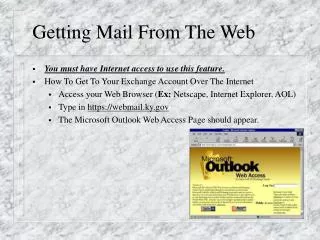
Getting Mail From The Web. You must have Internet access to use this feature. How To Get To Your Exchange Account Over The Internet Access your Web Browser ( Ex: Netscape, Internet Explorer, AOL) Type in https://webmail.ky.gov T he Microsoft Outlook Web Access Page should appear.

Getting Mail From The Web
E N D
Presentation Transcript
Getting Mail From The Web • You must have Internet access to use this feature. • How To Get To Your Exchange Account Over The Internet • Access your Web Browser (Ex: Netscape, Internet Explorer, AOL) • Type in https://webmail.ky.gov • The Microsoft Outlook Web Access Page should appear.
Getting Mail From The Web • At the Log On Box type your NT alias name. • Ex: joe.haner • This dialog box should appear. • Beside the Username, type in your Exchange Server/Your NT Account Name • Ex: kyfd01\FIRSTNAME.LASTNAME • kyfd01\joe.haner
Getting Mail From The Web • Then type in your NT account password in the box below. • This is the password you use to login into NT at work. • This will get you into the Web Exchange Outlook program.