
Exploring Neatline: A Workshop on Digital Humanities Mapping Tools
Join us for an engaging workshop at the University of Strathclyde, Glasgow, led by Mia Ridge from the Open University. Discover the powerful features of Neatline, an innovative tool that allows users to create dynamic, interactive exhibits for digital humanities projects. Participants will learn to add items, transcribe letters, and map modernist correspondence, while gaining insights into interpretive decision-making in digital history. This event is designed for both beginners and those looking to enhance their skills with Neatline. Follow the journey on social media and online notes!

Exploring Neatline: A Workshop on Digital Humanities Mapping Tools
E N D
Presentation Transcript
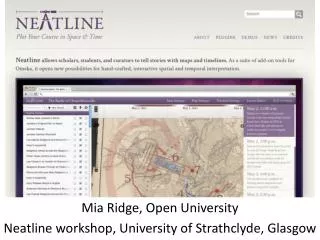
Neatline Mia Ridge, Open University Neatline workshop, University of Strathclyde, Glasgow
Intros round: who am I? Geek turned PhD in digital humanities/history Notes will be at http://miaridge.com @mia_out Melbourne Museum photo by Fir0002/Flagstaffotos; Science Museum photo by Christine Matthews
Intros round: who are you? • Your name and background? • One line on what you want to learn today
What is Neatline? • ‘My dear little Nellie’ • http://hotchkiss.scholarslab.org/neatline-exhibits/show/my-dear-little-nelly/fullscreen • “I am It, and It is I”: Lovecraft in Providence • http://lovecraft.scholarslab.org/neatline-exhibits/show/lovecraft-in-providence/fullscreen
Exercise: mapping modernist correspondence • Log in with details from email http://www.digitalhistories.org.uk/admin/ • Follow steps at http://neatline.org/plugins/neatline/ after ‘To add a new record to the exhibit’ to create a new item in Neatline. Decide whether you want to transcribe or describe the letter; type the text into the description field. • Place it on the timeline and map • Save and view on the public interface
Further exercises • Extend your entry • Enhance your entry
Exercise: extend your entry • Look for other places or journeys in your letter - how might you include them on the map? • Look for other times in your letter? How might you include them on your timeline? • Can you create links to other items? (other correspondence) • Are there references to other entities (people, events, concepts) you might include?
For bonus points: enhance your entry • Try changing the styles of your item, set the map focus or test a point graphic • Try creating an Omeka ‘document’ item and uploading the image of your letter
What did you learn? • What kinds of interpretive decisions did you find yourself making? • What delighted you? What frustrated you? • How might you use it in your work?
Find out more • Basic documentation • http://neatline.org/plugins/neatline/ • Neatline demos • http://neatline.org/neatline-in-action/ • Georeferencing with Neatline • http://neatline.org/2012/08/20/using-neatline-with-historical-maps-part-1-georeferencing/ (and part 2 and 3)
Thank you!Neatline workshop,University of Strathclyde, GlasgowNovember 8, 2012 Mia Ridge, Open University @mia_out m.ridge@open.ac.uk Notes at http://miaridge.com