Comprehensive Guide to GUID Partition Table (GPT) and Unified Extensible Firmware Interface (UEFI)
410 likes | 508 Views
Explore the intricacies of GUID Partition Table (GPT) and Unified Extensible Firmware Interface (UEFI). Learn about limitations, advantages, compatibility, and how to manage partitions effectively.


Comprehensive Guide to GUID Partition Table (GPT) and Unified Extensible Firmware Interface (UEFI)
E N D
Presentation Transcript
GUID Partition Table Unified Extensible Firmware Interface (UEFI) GUID Partition Table (GPT) gpart(8) Root On ZFS FreeBSD9 – bsdinstall Soft-Update Journaling (SU+J)
Unified Extensible Firmware Interface • BIOS limitations • 16-bit processor mode • 1MB addressable space • UEFI advantages • UEFI v2.3.1 in April 2011 • Disk device compatibility (GUID Partition Table) • Processor compatibility (x86, x64, ARM)
GUID Partition Table – (1) • Limitation of MBR partition table • Partition record • active(1)、first CHS(3)、type(1)、last CHS(3)、start LBA(4)、size(4) • Maximum capacity • (232-1) x 512 bytes ~ 241 bytes = 2TBytes • GPT • Maximum capacity: 8ZBytes (273 bytes) • Used on some BIOS system
GUID Partition Table – (2) • GPT • LBA 0: Legacy MBR • LBA 1: GPT Header • LBA 2~33: Partition Entries • 128 partitions • LBA 34~: Partitions • LBA -34 ~ -1: Secondary GPT data • Misaligned block • SSD (1K LBA) • WD (4K sector)
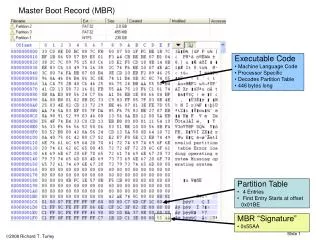
GUID Partition Table – (3) • Legacy MBR (LBA 0) • A single partition of type 0xEE, and of whole disk size (max 2T) • For OSes which cannot read GPT: unknown partition, no space • For GPT-aware OSes: check the “protective MBR”
GUID Partition Table – (4) • Partition header table (LBA 1)
GUID Partition Table – (5) • Partition header table (LBA 1) # dd if=/dev/ada0 bs=512 count=1 skip=1 | hd 00000000 45 46 49 20 50 41 52 54 00 00 01 00 5c 00 00 00 |EFI PART....\...| 00000010 e6 f0 27 96 00 00 00 00 01 00 00 00 00 00 00 00 |..'.............| 00000020 2f 60 38 3a 00 00 00 00 22 00 00 00 00 00 00 00 |/`8:....".......| 00000030 0e 60 38 3a 00 00 00 00 7f a3 90 90 46 b4 de 11 |.`8:........F...| 00000040 8e b8 00 21 85 12 22 74 02 00 00 00 00 00 00 00 |...!.."t........| 00000050 80 00 00 00 80 00 00 00 e0 9d 1a 52 00 00 00 00 |...........R....| 00000060 00 00 00 00 00 00 00 00 00 00 00 00 00 00 00 00 |................| * 00000200
GUID Partition Table – (6) • Partition entries (LBA 2~33) • 128 bytes for each partition entry
GUID Partition Table – (7) • Partition type GUID
FreeBSD – gpart (1) • gpart(8) • Control utility for the disk partitioning GEOM class (ad0) • GEOM_PART_MBR (ad0 ad0s1) • GEOM_PART_BSD (ad0s1 ad0s1a) • GEOM_PART_GPT (ad0 ad0p1) • gpart create -s mbr ad0 • gpart add -t freebsd ad0 (ad0 ad0s1) • gpart create -s bsd ad0s1 • gpart create -s gpt ad0 • gpart destroy [ -F ] ad0 • -F: forced destroying of the partition table
FreeBSD – gpart (2) • gpart(8) • gpart add -t type [ … ] ad0 • type: freebsd-boot, freebsd-swap, freebsd-ufs, freebsd-zfs, freebsd • -b start • -s size • -a alignment: -a 4k for 4K-sector HDD • -i index • -l label: used on partitioning schemes that support partition labels • gpart delete –i index ad0 • gpart show [ -l | -r ] [ -p ] ad0 • -l: print partition labels instead of partition type • -r: show GUID • -p: show provider names instead of partition indexes
FreeBSD – gpart (3) • gpart(8) • gpart bootcode [ -b bootcode ] [ -p partcode -i index ] ad0 • -b: embed bootstrap code into the partitioning scheme’s metadata • -p: write bootstrap code into a partition • Bootstraping for MBR scheme • /boot/mbr or /boot/boot0 in partition table’s metadata • /boot/mbr searches partition with active attribute • /boot/boot0 has a boot manager • /boot/boot in BSD partition table’s metadata • Bootstraping for GPT scheme • /boot/pmbr in the first disk sector (Protective MBR) • /boot/pmbr searches the freebsd-boot partition • /boot/gptboot or /boot/gptzfsboot in freebsd-boot partition • /boot/gptboot searches the freebsd-ufs partition to run /boot/loader • /boot/gptzfsboot searches the freebsd-zfs partition to run /boot/zfsloader
FreeBSD – gpart (4) • gpart(8) • gpart modify -i index [ -l label ] [ -t type ] ad0 • gpart resize -i index [ -a alignment ] [ -s size ] ad0 • gpart { set | unset } -a attrib -i index ad0 • Set "Active" for MBR scheme • gpart set -a active –i 1 ad0 • gpart { backup | restore } ad0 • gpart recover ad0 • GPT-only • gpart { command … -f x | commit | undo } ad0
Root On ZFS – (1) • Root On ZFS • Using MBR disk • UFS /boot • FreeBSD-ZFS partition in a FreeBSD MBR slice • dd if=/mnt2/boot/zfsboot of=/dev/ad0s3 count=1 • dd if=/mnt2/boot/zfsboot of=/dev/ad0s3a skip=1 seek=1024 • FreeBSD MBR slice • Fails to boot • Using GPT disk • Disadvantage • Can’t dual boot using FreeBSD commercial bootcode • Using GPT-aware grub setup and hybrid GPT/MBR • http://wiki.freebsd.org/RootOnZFS now for 8.x • 9.0 http://www.aisecure.net/2011/05/01/root-on-zfs-freebsd-current/
Root On ZFS – (2) • Creating a bootable ZFS Filesystem • Create GPT disk • gpart create -s gpt ad0 • Create the boot, swap and zfs partitions • gpart add -s 64k -t freebsd-boot ad0 • gpart add -s 4g -t freebsd-swap -l swap0 ad0 • gpart add -t freebsd-zfs -l disk0 ad0 • Install the Protected MBR (pmbr) and gptzfsboot loader • gpart bootcode -b pmbr -p gptzfsboot -i 1 ad0 • Load ZFS kernel module • kldload zfs • Create ZFS Pool zroot • zpool create zroot /dev/gpt/disk0 • zpool set bootfs=zroot zroot
Root On ZFS – (3) • Installing FreeBSD to the ZFS filesystem • Create ZFS filesystem hierarchy
Root On ZFS – (4) • Installing FreeBSD to the ZFS filesystem • Install FreeBSD to zroot • Manually install base, kernel(s), lib32, games, doc, … • Make /var/empty readonly • zfs set readonly=on zroot/var/empty • Manually configure • chroot • /etc/rc.conf • hostname, networks, zfs_enable, sshd, ntpd, … • /boot/loader.conf • zfs_load, vfs.root.mountfrom • root password • Time zone • …
Root On ZFS – (5) • Installing FreeBSD to the ZFS filesystem • Install zpool.cache to the ZFS filesystem • zpool export zroot • zpool import –o cachefile=/tmp/zpool.cache zroot • Copy /tmp/zpool.cache into zroot/boot/zfs/ • Finish install • Create /etc/fstab • swap • Set mount points for zfs filesystems • zfs set mountpoint=blah zroot/blah • Alternatively, you can specify these in /etc/fstab
Root On ZFS – (6) • gpart show • swapinfo # gpart show => 34 83886013 ada0 GPT (40G) 34 128 1 freebsd-boot (64k) 162 4194304 2 freebsd-swap (2.0G) 4194466 79691581 3 freebsd-zfs (38G) # swapinfo Device 1K-blocks Used Avail Capacity /dev/gpt/swap0 2097152 0 2097152 0%
Root On ZFS – (7) • zpool status -v # zpool status -v pool: zroot state: ONLINE scan: none requested config: NAME STATE READ WRITE CKSUM zroot ONLINE 0 0 0 ada0p3 ONLINE 0 0 0 errors: No known data errors
Root On ZFS – (8) • zfs list # zfs list NAME USED AVAIL REFER MOUNTPOINT zroot 657M 36.5G 344M legacy zroot/home 31K 36.5G 31K legacy zroot/tmp 36K 36.5G 36K /tmp zroot/usr 311M 36.5G 311M /usr zroot/usr/ports 95K 36.5G 33K /usr/ports zroot/usr/ports/distfiles 31K 36.5G 31K /usr/ports/distfiles zroot/usr/ports/packages 31K 36.5G 31K /usr/ports/packages zroot/usr/src 31K 36.5G 31K /usr/src zroot/var 461K 36.5G 126K /var zroot/var/crash 31.5K 36.5G 31.5K /var/crash zroot/var/db 116K 36.5G 85K /var/db zroot/var/db/pkg 31K 36.5G 31K /var/db/pkg zroot/var/empty 31K 36.5G 31K /var/empty zroot/var/log 45K 36.5G 45K /var/log zroot/var/mail 31K 36.5G 31K /var/mail zroot/var/run 48.5K 36.5G 48.5K /var/run zroot/var/tmp 32K 36.5G 32K /var/tmp
Root On ZFS – (9) • mount # mount zroot on / (zfs, local, noatime) devfs on /dev (devfs, local, multilabel) zroot/tmp on /tmp (zfs, local, nosuid) zroot/usr on /usr (zfs, local, noatime) zroot/usr/ports on /usr/ports (zfs, local, noatime, nosuid) zroot/usr/ports/distfiles on /usr/ports/distfiles (zfs, local, noatime, noexec, nosuid) zroot/usr/ports/packages on /usr/ports/packages (zfs, local, noatime, noexec, nosuid) zroot/usr/src on /usr/src (zfs, local, noatime, noexec, nosuid) zroot/var on /var (zfs, local, noatime) zroot/var/crash on /var/crash (zfs, local, noatime, noexec, nosuid) zroot/var/db on /var/db (zfs, local, noatime, noexec, nosuid) zroot/var/db/pkg on /var/db/pkg (zfs, local, noatime, nosuid) zroot/var/empty on /var/empty (zfs, local, noatime, noexec, nosuid, read-only) zroot/var/log on /var/log (zfs, local, noatime, noexec, nosuid) zroot/var/mail on /var/mail (zfs, local, noatime, noexec, nosuid) zroot/var/run on /var/run (zfs, local, noatime, noexec, nosuid) zroot/var/tmp on /var/tmp (zfs, local, nosuid)
bsdinstall (FreeBSD 9) – (1) • http://www.freebsd.org/doc/handbook/bsdinstall.html
bsdinstall (FreeBSD 9) – (2) • Install、Shell、Live CD
bsdinstall (FreeBSD 9) – (3) • Setting hostname
bsdinstall (FreeBSD 9) – (4) • Selecting components to install
bsdinstall (FreeBSD 9) – (5) • Partitioning methods • Shell – gpart(8)、fdisk(8)、bsdlabel(8)
bsdinstall (FreeBSD 9) – (6) • Guided Partitioning • Select disk • Replace { ad | da } by ada • { ad | da }’s are linkedto ada’s • How to partition the disk • Entire Disk • Partition – use free space
bsdinstall (FreeBSD 9) – (7) • Guided Partitioning result
bsdinstall (FreeBSD 9) – (8) • Manual Partitioning
bsdinstall (FreeBSD 9) – (9) • Choose a partitioning scheme • GPT、MBR • DON’T use BSD!!!
bsdinstall (FreeBSD 9) – (10) • Add partitions • freebsd-boot • FreeBSD boot code. This partition must be first on the disk.
bsdinstall (FreeBSD 9) – (11) • Final confirmation
bsdinstall (FreeBSD 9) – (12) • Fetching Checksum Verification Extraction
bsdinstall (FreeBSD 9) – (13) • Post-installation • root password • Network interfaces • Wired – Static IPv4 / DHCP / Static IPv6 / SLAAC • Wireless • DNS • Time Zone • Services • Add users
bsdinstall (FreeBSD 9) – (14) • Final configuration
Soft Updates Journaling – (1) • To maintain filesystem metadata consistency • Synchronous write • Non-Volatile RAM • Journaling • COW • Soft Updates
Soft Updates Journaling – (2) • Ordering constrains • Name in on-disk directory must be deleted • Deallocate on-disk inode • Release file’s blocks to free-space bitmap • Soft Updates • Dependency structures • Only inconsistencies • Blocks marked in use that are free • Inodes marked in use that are free
Soft Updates Journaling – (3) • Soft Updates Journaling (SUJ, SU+J) • Only need to journal operations that orphan resources • Increased link count • Decreased link count • … • Need a maximum 16Mb • .sujournal (a 32Mb file…) • Recovery steps • Scan the journal • Modify link counts • Free inodes with zero count or unlinked • Free unallocated blocks
Soft Updates Journaling – (4) • First appeared in 9.0-CURRENT (r207141) in April 2010 • Now 9.0-RC3 … • Enable SU+J • newfs –j … • tunefs –j { enable | disable } for SUJ • Different from gjournal (-J) • tunefs –J { enable | disable } for gjournal