Enhancing Communication for the Elderly: An Innovative Android Application
This project presents a comprehensive application designed to assist elderly individuals facing communication difficulties. Key features include easy navigation, automated emergency messaging, and customizable vocabulary tailored to user needs. The system aims to improve interactions in everyday scenarios and emergencies, ensuring users can communicate effectively despite challenges like hearing loss, speech difficulties, and memory issues. With a focus on usability and flexibility, this tool aims to enhance the quality of life for elderly users and others with similar needs.

Enhancing Communication for the Elderly: An Innovative Android Application
E N D
Presentation Transcript
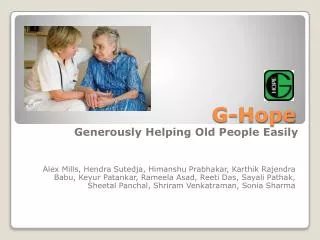
G-Hope Alex Mills, HendraSutedja, HimanshuPrabhakar, KarthikRajendraBabu, KeyurPatankar, RameelaAsad, Reeti Das, SayaliPathak, SheetalPanchal, ShriramVenkatraman, Sonia Sharma
Presentation Agenda • Problem Definition • Definitions • System Overview • Demo • Goal • Domain • Functional Requirements • Non-Functional Requirements • Traceability • Scope Creep Tolerance
Introduction • Why we’re doing this system… • What sort of communication problems? • Memory Loss • Hard-of-hearing • Difficulty speaking • Accommodating other age-related disabilities • Visual impairment • Must assume user is capable of operating a smart phone.
Problem Definition World as it is (AS-IS) World as it would be (TO-BE) • Difficult to understand what people say. • Difficult to be understood. • Forget people’s names. • Emergency situations become extremely dangerous. • People would have a new method for understanding and being understood. • People can be easily identified using a familiar interface. • Calls to emergency services can be automatically handled, if desired.
Definitions • Categories: • Consists of multi-dimensional vocabulary items • Can be either activity or item based. • Sentences: • Part of categories. • Can be opinion or greetings which elderly wants to express.
Goal • Our main goal is to create an application for assisting elderly people with communication difficulties. • the Android Platform • Helps people with communication difficulties (i.e. speaking, vision and memory loss) • Should be easy to use. • Should provide communication assistance during emergencies.
Domain • Definition of Elderly – extended to not just elderly, but anyone with communication difficulties. • Ease of Placing Emergency Calls – Automated messages for 911 emergencies. • Mode of communication – Sentences are verbalized and displayed along with a picture.
Functional Requirements • Category/Sub-category selection. • Categories easily displayed in grid and accessed using touch interface. • Frequently used categories and sentences displayed first. • Text/Voice search. • Automated messages for 911 • Verbalized category selection.
Non Functional Requirements • Usability: • Configurable icon size and text size • Emergency functionality availability on the home screen • Understandability: Help availability on all screens with a single touch • Performance: 0.5 second response time on every action • Extensibility: Easy to extend to accommodate new features
Non Functional Requirements • User can configure any category/subcategory, sentence, image. (add, modify, delete) • Multiple sentences for each bottom-level icon. • Maximum navigation depth of 3-4 screens • Breadcrumb interface to easily backtrack categories.
Traceability From the Preliminary Definition document, every functional and non functional aspect of the application has been operationalized and assigned a number. • Functional Requirements are numbered as FR###. • Non Functional Requirements are numbered as NFR###. Further Traceability matrix have columns for Unit Test Case No. and Integration Test Case No., which will be filled in while compiling the Testing Documents.
Scope Creep Tolerance • Can accommodate approximately 15% change. • Easy to accommodate: • Changes to the user interface • “Tweaks” of existing features • Minor additions to functional requirements • Difficult to accommodate: • Changes to the problem or goal • Major changes in the domain requirements • Major additions to functional requirements
Justification • Configurability • Ease of use • Touch based input • Help Availability • Maximum navigation depth of 3-4 clicks • Easy to read, view icons • Prioritized accessibility of critical functions • Helps not only elderly, anyone with communication difficulties • Communication is as accurate as possible because of customizability of sentences and categories • Android Platform • One Month Money Back Guarantee.