The Ultimate Digital Accessibility Audit Guide (ADA WCAG Section 508)
0 likes | 1 Views
The Ultimate Digital Accessibility Audit Guide (ADA WCAG Section 508)


The Ultimate Digital Accessibility Audit Guide (ADA WCAG Section 508)
E N D
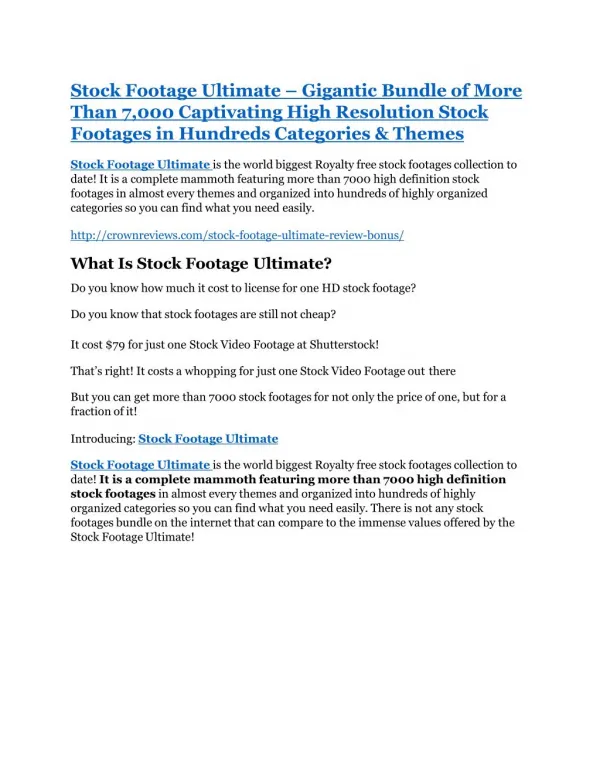
Presentation Transcript
The Ultimate Digital Accessibility Audit Guide (ADA + WCAG + Section 508) WCAG 2.2 Audit| Section 508 Testing| Digital Accessibility Certification| Section 508 Review ADACP Accessibility Experts www.adacompliancepros.com | info@adacp.com | (424)-262-9002 October 2025 | Digital Accessibility Audit Guide (ADA + WCAG + Section 508) October 2025 | Digital Accessibility Audit Guide (ADA + WCAG + Section 508)
Table of Contents Table of Contents Introduction .......................................................................................................................... 2 What Gets Tested in an Accessibility Audit........................................................................... 4 The Step-by-Step Audit Process ............................................................................................ 5 How to Read Your Audit Report ........................................................................................... 6 Common Issues Found in Accessibility Audits ....................................................................... 6 ADA Lawsuits and Business Risks ......................................................................................... 7 Printable Accessibility Audit Checklist .................................................................................. 8 Resources & Tools ................................................................................................................. 8 Conclusion ............................................................................................................................ 8 Client Testimonial ................................................................................................................. 9 Introduction A hard to access website quietly shuts out millions of users who use assistive tools to shop or learn online. Digital accessibility compliance ensures that real people can use your website or application without confusion. This explains the requirement for WCAG testing. It helps you spot what’s getting in the way and shows how well you comply with ADA, WCAG and Section 508 rules. Skipping accessibility may invite complaints or ADA-related legal trouble. A thoughtful audit can prevent those risks and build a brand that truly includes everyone. October 2025 | Digital Accessibility Audit Guide (ADA + WCAG + Section 508)
ADA web accessibility lawsuits surge 37% in 2025. State-by-state breakdown shows how fast litigation is spreading Source: https://www.prnewswire.com/news-releases/2025-mid-year-report-ada-website-accessibility-lawsuits-surge-37-as- litigation-expands-nationwide-302541655.html? Understanding the Rules (ADA, WCAG, and Section 508) Accessibility laws may sound technical, but they all share one goal of making digital content easier for everyone to use. The ADA focuses on fair access, WCAG gives the design rules and Section 508 ensures government websites meet those rules. Not sure which accessibility law applies to you? Schedule a free consultation with the accessibility specialists at ADACP. Law/Standard Applies To Key Focus ADA (Americans with Disabilities Act) Public businesses and websites Equal access for all users October 2025 | Digital Accessibility Audit Guide (ADA + WCAG + Section 508)
WCAG (Web Content Accessibility Guidelines) Global standard for web and app design Technical rules for accessibility (A, AA, AAA) Section 508 U.S. federal agencies and vendors Accessibility for government digital tools In simple words, ADA is the law, WCAG is the how-to guide, and Section 508 is the government rulebook. What is WCAG Compliance? Check out our detailed guide on [What is Digital Accessibility Compliance? Why does Your Website Need This? ] to understand how it works. What Gets Tested in an Accessibility Audit A full audit checks: ✅ ✅ Website Navigation Is your site easy to move through a mouse and keyboard? ? Color Contrast & Readability Can users read text clearly in all lighting conditions? ? Images and Forms Do all visuals have meaningful descriptions and proper labels? ? PDFs & Multimedia Content Are documents, videos and audio files accessible? ? Keyboard-Only Use Can users complete tasks by using only the keyboard? ? Screen Reader Compatibility Does your site work smoothly with readers like NVDA and JAWS? Digital Accessibility Audit Tools WAVE– Checks color contrast and alt text. Axe DevTools– Finds code-level accessibility issues NVDA / JAWS– Screen readers to test how content sounds to users. Automated scans are helpful, but real accessibility needs manual and assistive tech testing too. Q: How long does a WCAG or Section 508 accessibility audit take? October 2025 | Digital Accessibility Audit Guide (ADA + WCAG + Section 508)
A: A basic audit may take 2 weeks, while large enterprise sites with thousands of pages can take 6 weeks. This will include manual testing and remediation verification. The Step-by-Step Audit Process Automated Testing Manual Testing Discovery Report Remediation Discovery ADACP WCAG consultants start by defining what will be audited. This stage sets clear goals and scope for your website, app or document testing. Automated Testing Tools scan for visible issues such as color contrast, missing alt text, or bad headings. This step is a quick first sweep. Manual Testing According to the W3C every interactive element must be fully operable without a mouse (see WCAG 2.1, Guideline 2.1: Keyboard Accessible). Therefore, experts check your site by hand. They use keyboard-only navigation, check tab order, and test user experience. Report All findings are documented clearly according to WCAG success criteria. You will know exactly what failed and how to fix it. Fix + Re-Test Your team applies the fixes, and the consultant rechecks everything. We make sure the claimed digital accessibility compliance is proven through results or certification. Book a quick Section 508 & WCAG recheck consultation and confirm your site is fully accessible before your next launch. Q: Who needs to follow digital accessibility laws? A: Any organization that offers online content or services to the public must take accessibility seriously. The ADA applies to businesses, schools, healthcare providers, and government contractors. These groups are expected to meet accessibility standards outlined in WCAG or Section 508 to stay compliant. Want to know how to write a Section 508 VPAT the right way? Read this complete guide to get started with confidence [Can I Write My Own VPAT ACR: Step-by-Step Guide for Beginners] October 2025 | Digital Accessibility Audit Guide (ADA + WCAG + Section 508)
How to Read Your Audit Report Your accessibility report describes what needs fixing and where to focus first. You will typically find these inside a WCAG audit report: Audit summary– A quick snapshot of how accessible your site or app is right now. Severity levels– Each issue is ranked by its impact on users. WCAG Mapping– Every issue links back to the exact WCAG rule it violates. Recommendations– Simple guidance on what to update and how. Verification Notes– Details on what passed, failed or needs manual recheck. Pro tip: Start by fixing critical issues first. Focus on the ones that block users or create compliance risk. Common Issues Found in Accessibility Audits Accessibility audits tell a few recurring inaccessibility factors. Many websites still miss alt text for images and visuals become inaccessible to screen readers. Moreover, buttons and links sometimes lack clear labels so users become unsure of their purpose. Low color contrast also remains a common problem and text becomes hard to read for people with visual impairments. October 2025 | Digital Accessibility Audit Guide (ADA + WCAG + Section 508)
In addition to this, testers can find videos that frequently appear without captions and out of order headings. Even downloadable PDFs are sometimes unreadable. As a result, assistive technologies cannot interpret their content properly. A good audit is one that lists errors and also teaches your team how to avoid them next time. Read More: Practical Tips to Improve Your WCAG Compliance. Read our blog on what is WCAG compliance and how to overcome the barriers through WCAG testing. ADA Lawsuits and Business Risks Lawsuits usually start with a single user unable to access your website and filing a complaint. Then come the legal fees, remediation costs and brand damage. Proactive audits are much cheaper and safer than dealing with lawsuits later. Fixing accessibility issues before a lawsuit might cost $3,000–$8,000. But settling an ADA lawsuit could cost $20,000–$100,000. Q: What are the benefits of conducting regular accessibility audits? A: Regular accessibility audits make your website open to everyone. You can reach a wider audience and enjoy SEO benefits. Consistent audits make you a preferred choice for government and enterprise contracts. You can focus on growth instead of penalties and fines related to non-compliance with ADA and Section 508. How to build Section 508 and WCAG accessibility into everyday work Accessibility is easier when it is part of your workflow. Start small and you will be able to protect your brand against the risk of lawsuits and expensive remediation. Invest in digital accessibility training and test every new feature. Review content before publishing to achieve total WCAG compliance. Pro tip: Arrange an accessibility check every quarter. October 2025 | Digital Accessibility Audit Guide (ADA + WCAG + Section 508)
Book a 30-minute WCAG accessibility audit consultation today and plan your next review. Printable Accessibility Audit Checklist Quick Self-Check Before a Full Audit Yes / No ☐ Category All images have descriptive alt text Text has sufficient color contrast Headings are in logical order (H1–H2–H3) All buttons and links have clear labels Forms have proper field labels and error messages Videos include captions or transcripts All pages can be navigated with a keyboard PDFs are tagged and readable Screen readers read all content logically Accessibility policy or statement available online Notes ☐ ☐ ☐ ☐ ☐ ☐ ☐ ☐ ☐ Review this checklist monthly to maintain ongoing compliance. Resources & Tools Here are some trusted resources to keep learning: WCAG Guidelines: w3.org/WAI/WCAG22 ADA Digital Guidance: ada.gov/resources/web-guidance/ Section 508: section508.gov Testing Tools: WAVE, Axe DevTools, NVDA, JAWS Conclusion A small start toward digital accessibility today can prevent big problems tomorrow. If you are not sure where to begin, start with an accessibility audit. It is the easiest way to know where you stand and what to fix first. October 2025 | Digital Accessibility Audit Guide (ADA + WCAG + Section 508)
Next Step: Request a free consultation with ADACP to review your website and documents. Client Testimonial “We thought our website was fine until our accessibility audit showed dozens of hidden barriers. ADACP WCAG consultants guided our team and within a month, we were fully compliant. Our engagement rates are up, and we have started winning government contracts again!” — Marketing Director, U.S. SaaS Company Frequently Asked Questions (FAQs) Q1: How often should I arrange a WCAG accessibility audit? A: You will want to check your site at least once a year. Ideally do a smaller review every few months. Regular checks help maintain ADA, WCAG, and Section 508 compliance. Q2: How is WCAG different from ADA and Section 508? A: The ADA is the law that guarantees equal access and Section 508 applies to federal agencies and vendors. WCAG is the technical guide for these laws. Together, they shape the legal and practical foundation of digital accessibility. Q3: Are automated tools sufficient to prove Section 508 compliance? A: Automated tools can flag many issues but cannot judge context. Tools cannot tell if the alt text is meaningful or if navigation is logical. Manual testing with assistive technologies like NVDA or JAWS is required for full compliance. Q4: How bad is an inaccessible website? A: Inaccessible websites lead to complaints and legal actions. Beyond the legal side, it can also hurt your brand reputation. Regular audits cost much less than fixing accessibility issues after a lawsuit. Q5: Who should perform a WCAG test? A: Certified accessibility specialists experienced in WCAG, ADA, and Section 508 compliance should handle it. ADACP Accessibility Experts combine automated tests and manual audits to confirm your website or app’s accessibility. Q6: What’s included in an accessibility certification or report? October 2025 | Digital Accessibility Audit Guide (ADA + WCAG + Section 508)
A: Your audit report includes a summary of issues. It includes WCAG references for each issue and clear remediation steps. Receive documentation or a compliance statement after the suggested remediation. October 2025 | Digital Accessibility Audit Guide (ADA + WCAG + Section 508)


![[DOWNLOAD] PDF How to Build Your Dream Cabin in the Woods: The Ultimate Guide to Building and Maintaining a Backcountry](https://cdn4.slideserve.com/8384918/slide1-dt.jpg)