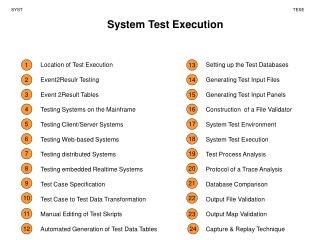

Test Execution
E N D
Presentation Transcript
Test Execution (c) 2007 Mauro Pezzè & Michal Young
Learning objectives • Appreciate the purpose of test automation • Factoring repetitive, mechanical tasks from creative, human design tasks in testing • Recognize main kinds and components of test scaffolding • Understand some key dimensions in test automation design • Design for testability: Controllability and observability • Degrees of generality in drivers and stubs • Comparison-based oracles and self-checks (c) 2007 Mauro Pezzè & Michal Young
Automating Test Execution • Designing test cases and test suites is creative • Like any design activity: A demanding intellectual activity, requiring human judgment • Executing test cases should be automatic • Design once, execute many times • Test automation separates the creative human process from the mechanical process of test execution (c) 2007 Mauro Pezzè & Michal Young
Generation: From Test Case Specifications to Test Cases • Test design often yields test case specifications, rather than concrete data • Ex: “a large positive number”, not 420023 • Ex: “a sorted sequence, length > 2”, not “Alpha, Beta, Chi, Omega” • Other details for execution may be omitted • Generation creates concrete, executable test cases from test case specifications (c) 2007 Mauro Pezzè & Michal Young
Example Tool Chain for Test Case Generation & Execution • We could combine ... • A combinatorial test case generation (like genpairs.py) to create test data • Optional: Constraint-based data generator to “concretize” individual values, e.g., from “positive integer” to 42 • DDSteps to convert from spreadsheet data to JUnit test cases • JUnit to execute concrete test cases • Many other tool chains are possible ... • depending on application domain (c) 2007 Mauro Pezzè & Michal Young Photo: (c) Scott Robinson (clearlyambiguous on Flickr) , creative commons attribution license
Scaffolding • Code produced to support development activities (especially testing) • Not part of the “product” as seen by the end user • May be temporary (like scaffolding in construction of buildings • Includes • Test harnesses, drivers, and stubs (c) 2007 Mauro Pezzè & Michal Young Image by Kevin Dooley under Creative Commons license
Scaffolding ... • Test driver • A “main” program for running a test • May be produced before a “real” main program • Provides more control than the “real” main program • To driver program under test through test cases • Test stubs • Substitute for called functions/methods/objects • Test harness • Substitutes for other parts of the deployed environment • Ex: Software simulation of a hardware device (c) 2007 Mauro Pezzè & Michal Young
Controllability & Observability Example: We want automated tests, but interactive input provides limited control and graphical output provides limited observability GUI input (MVC “Controller”) Program Functionality Graphical ouput (MVC “View”) (c) 2007 Mauro Pezzè & Michal Young
Controllability & Observability GUI input (MVC “Controller”) Test driver API Program Functionality Log behavior A design for automated test includes provides interfaces for control (API) and observation (wrapper on ouput). Capture wrapper Graphical ouput (MVC “View”) (c) 2007 Mauro Pezzè & Michal Young
Generic or Specific? • How general should scaffolding be? • We could build a driver and stubs for each test case • ... or at least factor out some common code of the driver and test management (e.g., JUnit) • ... or further factor out some common support code, to drive a large number of test cases from data (as in DDSteps) • ... or further, generate the data automatically from a more abstract model (e.g., network traffic model) • A question of costs and re-use • Just as for other kinds of software (c) 2007 Mauro Pezzè & Michal Young
Oracles • Did this test case succeed, or fail? • No use running 10,000 test cases automatically if the results must be checked by hand! • Range of specific to general, again • ex. JUnit: Specific oracle (“assert”) coded by hand in each test case • Typical approach: “comparison-based” oracle with predicted output value • Not the only approach! (c) 2007 Mauro Pezzè & Michal Young
Comparison-based oracle • With a comparison-based oracle, we need predicted output for each input • Oracle compares actual to predicted output, and reports failure if they differ • Fine for a small number of hand-generated test cases • E.g., for hand-written JUnit test cases (c) 2007 Mauro Pezzè & Michal Young
Self-Checking Code as Oracle • An oracle can also be written as self-checks • Often possible to judge correctness without predicting results • Advantages and limits: Usable with large, automatically generated test suites, but often only a partial check • e.g., structural invariants of data structures • recognize many or most failures, but not all (c) 2007 Mauro Pezzè & Michal Young
Capture and Replay • Sometimes there is no alternative to human input and observation • Even if we separate testing program functionality from GUI, some testing of the GUI is required • We can at least cut repetition of human testing • Capture a manually run test case, replay it automatically • with a comparison-based test oracle: behavior same as previously accepted behavior • reusable only until a program change invalidates it • lifetime depends on abstraction level of input and output (c) 2007 Mauro Pezzè & Michal Young
Summary • Goal: Separate creative task of test design from mechanical task of test execution • Enable generation and execution of large test suites • Re-execute test suites frequently (e.g., nightly or after each program change) • Scaffolding: Code to support development and testing • Test drivers, stubs, harness, including oracles • Ranging from individual, hand-written test case drivers to automatic generation and testing of large test suites • Capture/replay where human interaction is required (c) 2007 Mauro Pezzè & Michal Young