Benchmark Software Testing (1)
Benchmarking software testing is all about knowing (not guessing) whether your app is performing faster/slower or is becoming more/less fragile after you have made a change. The information in this post will be shared with DevOps engineers as well as engineers in general, creating an understanding of what benchmark testing really is from both DevOps and general engineering perspectives. My approach to this topic comes from actual production failures, late-night responses from developers to alerts sent via logs, and expensive lessons I learned along the way.

Benchmark Software Testing (1)
E N D
Presentation Transcript
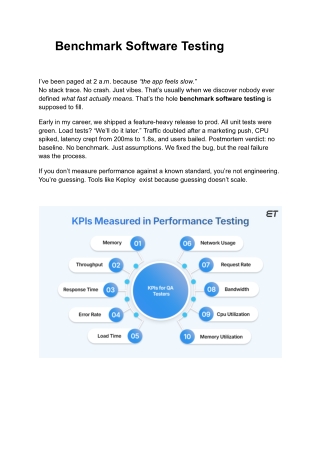
Benchmark Software Testing I’ve been paged at 2 a.m. because “the app feels slow.” No stack trace. No crash. Just vibes. That’s usually when we discover nobody ever defined what fast actually means. That’s the hole benchmark software testing is supposed to fill. Early in my career, we shipped a feature-heavy release to prod. All unit tests were green. Load tests? “We’ll do it later.” Traffic doubled after a marketing push, CPU spiked, latency crept from 200ms to 1.8s, and users bailed. Postmortem verdict: no baseline. No benchmark. Just assumptions. We fixed the bug, but the real failure was the process. If you don’t measure performance against a known standard, you’re not engineering. You’re guessing. Tools like Keploy exist because guessing doesn’t scale.
What Benchmark Software Testing Actually Is Benchmark software testing is not “run JMeter and hope for the best.” It’s a controlled performance assessment where you measure: ● Speed – response time, throughput, latency ● Stability – error rates under sustained load ● Resource usage – CPU, memory, I/O, network ● Scalability – how performance changes as load grows All of this is measured against something concrete: ● A previous release ● A defined SLA (e.g., p95 < 300ms) ● A competitor’s performance ● An internal “gold standard” service Benchmarks answer one brutal question: Did this change make things better or worse? If you can’t answer that in under five minutes, you don’t have benchmarks. You have logs.
Why Teams Get Benchmark Testing Wrong I’ve seen smart teams mess this up repeatedly. Same patterns. Common mistakes: ● Running benchmarks once, then never again ● Testing synthetic traffic that looks nothing like prod ● Ignoring cold starts and cache-miss scenarios ● Measuring averages instead of percentiles ● Treating benchmarks as QA’s problem Performance is a system property. Code, infra, network, config, and data shape all matter. Benchmarks that ignore real usage patterns lie. Politely. But consistently. Where Benchmark Testing Fits in Your Pipeline
Benchmark software testing isn’t a replacement for other testing types. It complements them. Here’s how I’ve seen it work best: ● Local dev – sanity benchmarks for critical paths ● CI – compare current build vs last known good baseline ● Pre-prod – full benchmark suite with realistic traffic ● Post-release – verify no silent regressions The key is comparison. Absolute numbers mean nothing without context. 200ms is fast. Until yesterday it was 90ms. The Hard Part: Realistic Test Data This is where most benchmark strategies fall apart. We generate fake payloads. We mock dependencies. We simplify edge cases.
Then prod traffic shows up with: ● Weird headers ● Unexpected payload sizes ● Bursty patterns ● Real user behavior (the messiest part) Your benchmark passes. Prod burns. This is exactly why modern teams are moving toward traffic-based benchmarking instead of handcrafted test cases. That’s where Keploy fits naturally into the workflow. It captures real-world traffic from prod or staging and turns it into automated test cases. No guesses. Actual user behavior. That changes the quality of benchmark software testing dramatically. Why Real Traffic Changes Everything When your benchmarks replay real requests: ● Edge cases appear automatically ● Payload distributions are realistic ● Dependency behavior is accurate ● Latency patterns reflect reality Instead of debating what to test, you test what already happened. I’ve used this approach to catch regressions that synthetic tests never saw—JSON size explosions, N+1 queries under specific user flows, memory leaks triggered only by certain sequences. Benchmarks stop being theoretical. They become predictive.
What to Measure (And What to Ignore) Don’t boil the ocean. Focus on signals that matter. Measure this: ● p50 / p95 / p99 latency ● Error rate under sustained load ● CPU and memory growth over time ● Throughput per instance ● Time-to-recovery after spikes Ignore this (mostly): ● Single-run results ● Perfect lab conditions ● Vanity metrics with no baseline ● Averages without percentiles If your p99 explodes, users feel it—even if your average looks fine. Pro-Tip Lock your environment before benchmarking. Same instance types. Same config. Same data volume. Otherwise, you’re benchmarking AWS noise, not your code. Benchmarking Is a Cultural Choice This part is opinionated. On purpose.
If benchmark software testing only happens when something breaks, you’ve already lost. Performance needs to be treated like correctness. Non-negotiable. Regressions should block merges, not trigger incident calls. Teams that win at scale: ● Automate benchmarks ● Run them on every meaningful change ● Track trends, not snapshots ● Treat performance regressions as bugs This isn’t extra work. It’s less firefighting. Final Thoughts Here’s the challenge. Pick one critical API in your system. Just one. Define a baseline. Capture real traffic. Benchmark it before and after your next change. If you can’t confidently say whether that endpoint got faster or slower, your workflow needs fixing—not your servers. Benchmark software testing isn’t about numbers. It’s about knowing, instead of hoping.