What Does “Collate” Mean When Printing? Simple Guide
If you’ve ever printed a big document and noticed the option to “collate,” you might wonder what it actually does. Understanding what does collate mean when printing can save you time, paper, and frustration. This simple guide explains collating in plain language, with examples that anyone can follow.
What Does Collate Mean When Printing?
Collated vs. Uncollated Printing (Quick Answer for Snippets)
What does collate mean when printing?
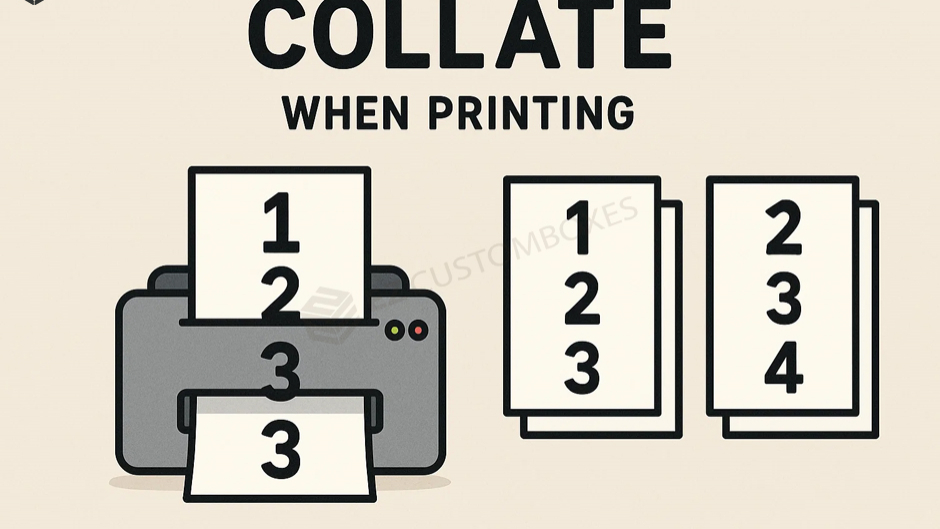
The collate meaning printing your pages in the correct order, as complete sets. For example, if you print a 5-page document and need 3 copies, a printer will output:
Collated:
1–2–3–4–5
1–2–3–4–5
1–2–3–4–5
Uncollated:
1–1–1
2–2–2
3–3–3
4–4–4
5–5–5
Collating helps when printing multi-page documents like reports, booklets, homework packets, and presentations.
Why Collating Matters in Everyday Printing
Collating keeps your pages organized so you don’t have to sort them by hand.
Benefits of Collating
-
Saves time on large print jobs
-
Ensures pages stay in the right order
-
Reduces manual sorting errors
-
Ideal for multipage documents
-
Makes printing more efficient and professional
When Should You Use Collate?
Use the collate option when printing:
-
Reports
-
Multi-page PDFs
-
Class handouts
-
Proposals
-
Instruction manuals
-
Workbooks or packets
When You Don’t Need to Collate
Uncollated printing works best when:
-
You need many copies of a single page
-
You’re printing flyers or forms
-
You need identical pages stacked together for trimming or binding
How to Turn Collate On or Off (Windows & Mac)
Windows
-
Open the file you want to print.
-
Click File > Print.
-
Under Copies & Pages, check or uncheck Collate.
-
Print.
Mac
-
Go to File > Print.
-
Look for the Copies section.
-
Check or uncheck Collated.
-
Print.
Collating for Double-Sided (Duplex) Printing
The collate meaning printer. When printing double-sided documents, collating ensures:
-
Pages flip in the correct reading order
-
Booklets print cleanly
-
No upside-down or shuffled pages
Tip: Always check your print preview before printing large jobs.
FAQ – Collating in Printing
What does uncollated mean in printing?
Uncollated printing produces copies page by page instead of full sets.
Should I collate my print job?
Yes—if your document has multiple pages and you want complete sets printed.
Does collate print faster or slower?
Collated printing may take slightly longer, but it saves time on sorting afterward.
Is collating the same as stapling?
No. Collating arranges pages; stapling binds them. Some printers can do both.
Do printers collate automatically?
Most modern printers offer an auto-collate feature, especially laser and office printers.
Conclusion
Knowing what does collate mean when printing helps you choose the right settings and avoid messy print jobs. Whether you’re printing school packets, reports, or booklets, collating keeps everything organized and ready to use.
Need help with print settings, formatting, or PDF layout? Just ask—I can walk you through it!