Quick Ways to Fix Windows Update Error Code 0x80070424
Error code 0x80070424 is a Windows error code that appears when a problem occurs with the way the Windows operating system interacts with your network equipment, configuration, or settings. This Windows 10 update error Code 0x80070424 is commonly caused due to the .NET framework installation failure. These are following ways in which you can attempt to correct this windows 11 update error Code 0x80070424.

Quick Ways to Fix Windows Update Error Code 0x80070424
E N D
Presentation Transcript
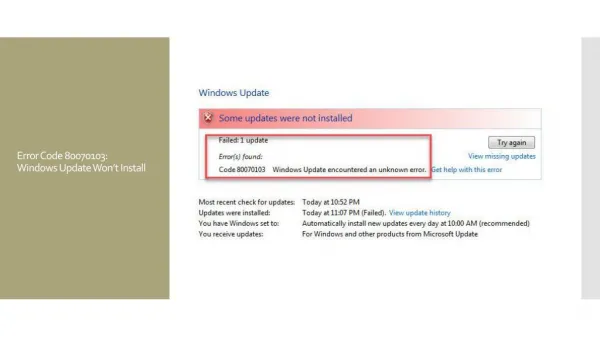
Quick Ways to Fix Windows Update Error Code 0x80070424 Error code 0x80070424 is a Windows error code that appears when a problem occurs with the way the Windows operating system interacts with your network equipment, configuration, or settings. This Windows 10 update error Code 0x80070424 is commonly caused due to the .NET framework installation failure. These are following ways in which you can attempt to correct this windows 11 update error Code 0x80070424. How does this Windows Update Error Code 0x80070424 pop up? This error code often pops up if the required system files aren’t registered due to which users aren’t able to get their system updated. The error usually occurs while updating your system using ● ● Windows Update Standalone Installer or through Windows Update located in Settings Disclaimers: Before you attempt to fix an issue with the Windows Update, we highly recommend you to take a registry backup and create a system restore point as a precaution method. In case if something goes wrong, we can restore your computer to the same stage and fix the issues. (In case if you not sure how to back it up, talk to an expert for assistance.) This .NET Framework 3.5 for Windows 8 or Windows 8.1 won’t come with pre-installed .Windows 8, Windows 8.1 or Windows 10, and must be separately enabled to run applications that depend on it. To enable the .NET Framework 3.5 in Control Panel to avoid error code 0x80070424. Note: Make sure you have set the correct Date and time on your computer, try to install pending updates through other available networks. Run windows update troubleshooter. Solution Steps for Error Code 0x80070424 in Windows 10/11 Update 1. Control Panel> Programs and Features 2. Turn Windows features on or off then check .NET framework 3.5 . The pre-requisites should installed 3. If it is not successful uninstall the KB’s related to .NET framework 3.5 and then re-install them 4. Restart your computer if needed
If the windows update error code 0x80070424 still exists, follow some more steps to fix the issue and install/upgrade/update your Windows operating system. Finally, If you are still not able to resolve this error, we suggest you to chat with our assured experts. I am sure they will give you the best solutions to resolve this error completely. You can also visit our website for more information. https://www.winchatsupport.com/0x80070424-windows-update-error/