Download
1 / 34
340 likes | 486 Views
This document explores solving recurrence relations, particularly T(n) = 2T(n/2) + n, using recursive methods and logarithmic analysis. It also discusses the efficient checking of prime numbers by dividing only by primes up to √n and using an array to keep track of found primes. Additionally, it covers multi-dimensional arrays and matrix multiplication in Java, including initializing arrays and performing matrix operations. This comprehensive guide is essential for anyone interested in algorithms, data structures, and effective programming techniques in Java.

E N D
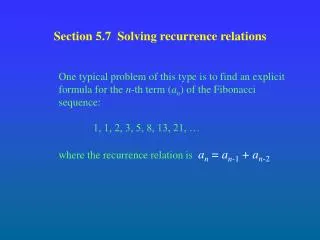
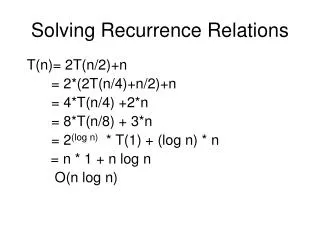
Solving Recurrence Relations T(n)= 2T(n/2)+n = 2*(2T(n/4)+n/2)+n = 4*T(n/4) +2*n = 8*T(n/8) + 3*n = 2(log n) * T(1) + (log n) * n = n * 1 + n log n O(n log n)
T(n) = T(n/2) + O(1) = T(n/4)+ O(1) + O(1) = T(n/8)+O(1) + O(1)+ O(1) = O(1) + (log n)*O(1) = O(log n)
Prime numbers • Previously we checked for primality of an integer n by dividing it by all integers up to √n • We only need to divide by the primes up to √n • Use an array to remember the primes seen so far
Prime numbers class PrimeNumbers { // Find all primes up to n public static void main (String arg[]) { int n = 10000; // Assume n > 1 // Use Dusart’s bound (just using n wastes // too much of memory for large n) int maxNumPrimes = (int)((n/Math.log(n))*(1+1.2762/Math.log(n))); int primes[] = new int[maxNumPrimes]; int numPrimesFound = 0; int i; // continued on next slide
Prime numbers for (i=2; i<=n; i++) { if (CheckPrimality (i, primes, numPrimesFound)) { primes[numPrimesFound] = i; numPrimesFound++; } } PrintPrimes(primes, numPrimesFound); } // end main // continued on next slide
Prime numbers public static boolean CheckPrimality (int n, int primes[], int count) { int i; for (i=0; (i<count) && (primes[i] <= Math.sqrt(n)); i++) { if ((n%primes[i])==0) { return false; } } return true; } // continued on next slide
Prime numbers public static void PrintPrimes (int primes[], int count) { int i, j=0; for (i=0; i<count; i++) { System.out.print (primes[i] + “ ”); j++; if (j==10) { // print 10 primes per line System.out.print (“\n”); j=0; } } System.out.print (“\n”); } } // end class
Multi-dimensional arrays • Allows you to work with matrices int array[][] = new int[20][30] Int [][]array= new int[20][30] • First dimension is number of rows • Second dimension is number of columns • Can have more than two dimensions • Allocated row-pointer in memory • A row can be stored anywhere in memory • Elements in a row are stored contiguously • Can visualize as array of arrays
Matrix multiplication class MatrixMultiply { public static void main (String arg[]) { int m = 20, n = 30, p = 40; double A[][] = new double[m][n]; double B[][] = new double[n][p]; double C[][]; InitializeArray (A, m, n); InitializeArray (B, n, p); C = Multiply (A, B, m, n, p); } // continued in next slide
Matrix multiplication public static void InitializeArray (double x[][], int m, int n) { int i, j; for (i=0;i<m;i++) { for (j=0;j<n;j++) { x[i][j] = i+j; } } }
Matrix multiplication public static double[][] Multiply (double x[][], double y[][], int p, int q, int r) { double z[][] = new double[p][r]; int i, j, k; for (i=0;i<p;i++) { for (j=0;j<r;j++) { z[i][j] = 0; for (k=0;k<q;k++) { z[i][j] += (x[i][k]*y[k][j]); } } } return z; } } // end class
Initializing a multi-dimensional array int[][]array={{1,2,3},{4,5,6},{7,8,9}{10,11,12}}; int[][]array=new int[4][3]; array[0][0]=1; array[0][1]=2; array[0][1]=3; array[1][0]=4; array[1][1]=5; array[1][2]=6; array[2][0]=7; array[2][1]=8; array[2][2]=9; array[3][0]=10; array[3][1]=11; array[3][2]=12;
Obtaining lengths of two dimensional arrays int [][] x; x.length will give the length of array x (i.e., number of rows). Each of these rows itself is an array and the length of individual array can be obtained using x[i].length. Remember that unlike matrix all these arrays need not have equal lengths.
Allocating a triangular matrix • May save memory for symmetric matrices • Allocate space to store the starting addresses of m rows • Then allocate the m rows themselves int m = 20; double[] triangle[] = new double[m][]; int i; for (i=0;i<m;i++) { // allocate lower triangle triangle[i] = new double[i+1]; }
int[][] triangleArray={ {1,2,3,4,5}, {2,3,4,5}, {3,4,5}, {4,5}, {5}, } If we do not know the values but only sizes of a ‘ragged’ array: int[][] raggedArray = new int[5][]; raggedArray[0]= new int[5]; raggedArray[1]= new int[4]; raggedArray[2]= new int[3]; raggedArray[3]= new int[2]; raggedArray[4]= new int[1];
Strings • Can view as array of characters • Implemented as a class with its own methods • Simplest operation on strings is concatenating two strings String x = “Good”; String y = “Morning!”; String z = x + “ ” + y; String w = x + ‘ ’ + y; // also works • Possible to concatenate strings to variables of other types e.g., int, float, etc. • Internally converted to string
Methods of string class • Determining the length of a string String x = “abc”; int lengthOfx = x.length(); • Determining the character at a position String x = “abc”; char cAt2 = x.charAt(2); char first = x.charAt(0); char last = x.charAt(x.length()-1); • Case conversion String x = “Ashwin”; String y = x.toUpperCase(); // y is “ASHWIN” String z = x.toLowerCase(); // z is “ashwin”
More on concatenation • Concatenating strings is different from concatenating characters String x = “a”; String y = “b”; String z = x + y; // z is “ab” char x1 = ‘a’; char y1 = ‘b’; char z1 = x1 + y1; // z is not “ab” • For concatenating two strings you can use the concat method also String z = “to”.concat(“get”).concat(“her”);
Extracting substrings • Can extract the substring starting at a position String x = “together”; String y = x.substring(2); // y is “gether” String z = x.substring(3); // z is “ether” String w = x.substring(0); // same as x String u = x.substring(x.length()-1); // “r” String v = x.substring(x.length()); // blank • Can extract substring between two positions String y = x.substring(0, 5); // y is “toget” String z = x.substring(5, x.length()); // “her” String w = x.substring(5, 6); // w is “h” String u = x.substring(5, 5); // u is “”
Searching in a string • Finding the first occurrence of a character or a substring within a string String x = “abracadabra”; int k = x.indexOf(‘a’); // k is 0 int p = x.indexOf(‘a’, 1); // p is 3; search // begins from pos 1 int t = x.indexOf(‘e’); // t is -1 int q = x.indexOf(“ra”); // q is 2 int s = x.indexOf(“ra”, 3); // s is 9 • Possible to find the last occurrence also int p = x.lastIndexOf(‘r’); // p is 9
String Comparison • Can not use == operator to find if two strings are same. • Use operator equals string1.equals(string2)
Comparison of strings • Compares strings in dictionary order (also known as lexicographical order) • Returns zero if strings are equal String x = “abc”; String y = “abcd”; String z = “ab”; String w = “abd”; int p = x.compareTo(y); // p is negative int q = x.compareTo(x); // q is zero int r = x.compareTo(z); // r is positive int s = y.compareTo(w); // s is negative • This comparison is case sensitive • Use compareToIgnoreCase otherwise
Some more useful methods • Removing leading and trailing whitespaces String x = “ abc ”; String y = x.trim(); // y is “abc” • Test for prefix String x = “Ashwin”; boolean y = x.startsWith(“Ashw”); // y is true boolean z = x.startsWith(“win”, 3); // z is true • Test for suffix String x = “Canada”; boolean y = x.endsWith(“ada”); // y is true
Some more useful methods • Substitute all occurrences of a character with another character String x = “deer”; String y = x.replace(‘e’, ‘o’); // y is “door” String z = x.replace(‘a’, ‘o’); // z is “deer” • Partial string match String x = “abracadabra”; boolean y = x.regionMatches(true, 2, “bracket”, 1, 3); // y is true • The first argument should be set to true if the match is intended to be case ignorant
Converting string to integer class StringToInt { public static void main (String arg[]) { // Assume arg[0] is the input string int result = 0, pos; int len = arg[0].length(); char c; for (pos = 0; pos < len; pos++) { c = arg[0].charAt(len-pos-1); if ((c >= ‘0’) && (c <= ‘9’)) { result += ((c-’0’)*Math.pow(10, pos)); } // continued in next slide
Converting string to integer else if ((c==‘-’) && (pos==len-1)) { result = -result; } else { System.out.println(“Invalid input: ” + arg[0]); break; } } // end for if (pos==len) { System.out.println(“Integer value: ” + result); } } }
Reversing a string class StringReverse { public static void main (String arg[]) { // Assume that the input is arg[0] String reversed = “”; int pos; for (pos=arg[0].length()-1; pos >= 0; pos--) { reversed += arg[0].charAt(pos); } System.out.println (“Original: ” + arg[0] + “, Reversed: ” + reversed); } }
Sorting a list of names class NaiveDictionarySort { public static void main (String arg[]) { // Assume that the names are in arg int n = arg.length; // list size String sortedList[] = new String[n]; boolean indexArray[] = new boolean[n]; int k, j, runningIndex=0, minIndex; for (k=0; k<n; k++) { indexArray[k] = false; } // continued on next slide
Sorting a list of names while (runningIndex < n) { for (k=0; k<n; k++) { if (!indexArray[k]) break; } sortedList[runningIndex] = arg[k]; minIndex = k; for (j=k+1; j<n; j++) { if (indexArray[j]) continue; if (sortedList[runningIndex].compareTo(arg[j]) > 0) { sortedList[runningIndex] = arg[j]; minIndex = j; } } // continued on next slide
Sorting a list of names indexArray[minIndex] = true; runningIndex++; } System.out.println (“Sorted list:”); for (k=0; k<n; k++) { System.out.println (sortedList[k]); } } }
String argument • Strings are objects • Passed by reference value • But strings cannot modified • Every string operation creates a new string • Consider the following Java class class StringTester { public static void main (String arg[]) { String s = “abcd”; ModifyString (s); System.out.println (“From main: ” + s); } // Continued in next slide
String argument public static void ModifyString (String s) { s += “e”; System.out.println (“From ModifyString: ” + s); } } • The output is as follows From ModifyString: abcde From main: abcd
String argument • The change is reflected only within ModifyString • The concatenation operation creates a new string and stores “abcde” in that • Assigns this new string to s • Addresses of s before and after the concatenation are different • Original string s remains unchanged with contents “abcd”